What are the disadvantages of Amazon S3?
Six real ones: it is not a file system, data leaving AWS costs $0.09 per GB, every request is billed, the console is built for engineers, the cheaper storage classes carry minimum durations and restore waits, and there are no built-in previews or sharing. One old complaint, eventual consistency, ended in December 2020.
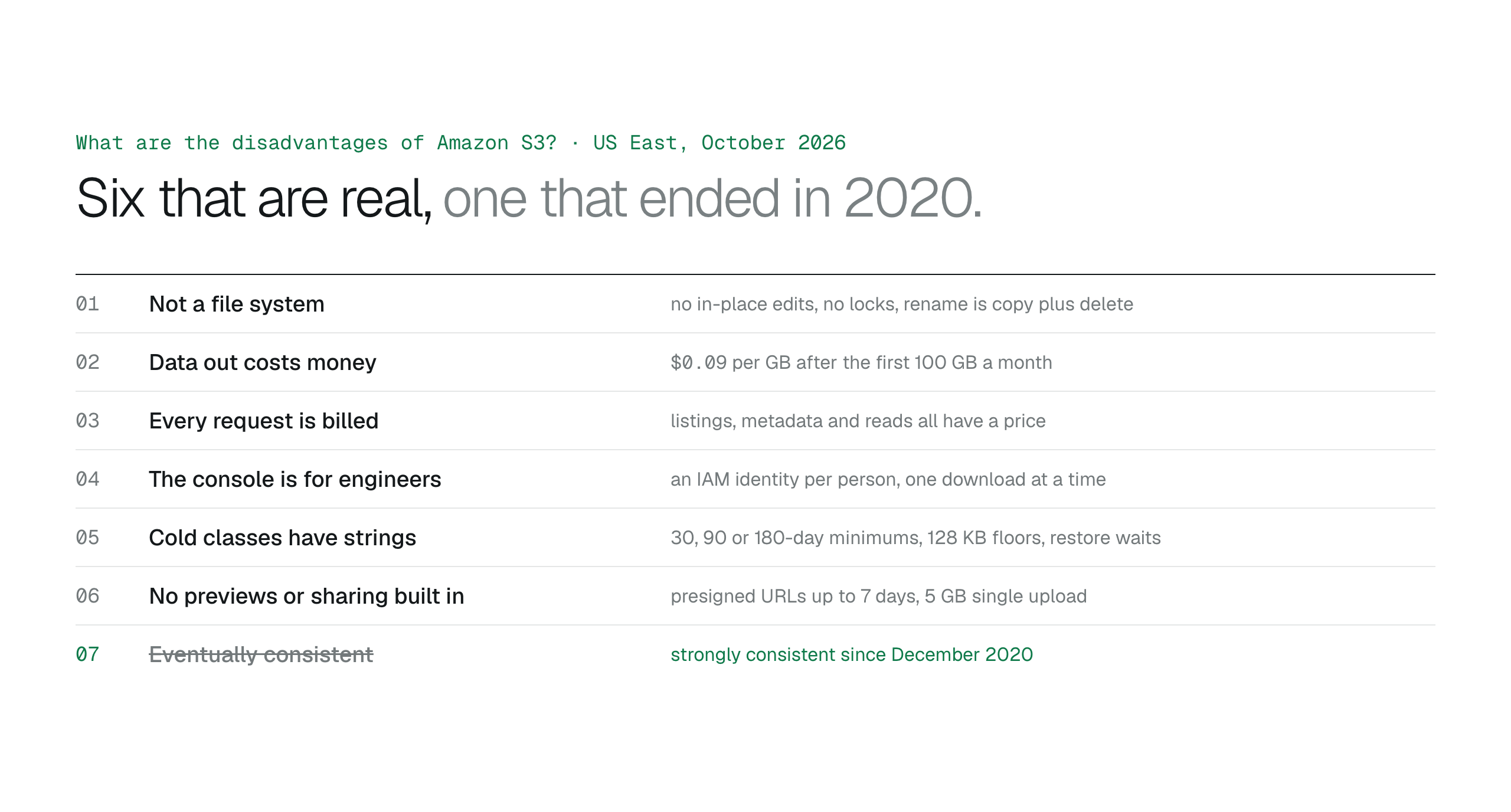
S3's real disadvantages are object semantics instead of a file system, $0.09 per GB egress, per-request billing, a console built for engineers, minimum durations and restore waits on the cold classes, and no previews or sharing of its own. Eventual consistency ended in December 2020. Each remaining one is answered by what you put on top of the bucket, not by moving the files out.
Amazon S3's disadvantages are mostly the flip side of what makes it cheap and durable: it stores whole objects rather than files, it charges for every byte that leaves and every request made, its own interface assumes you run the AWS account, and its cheapest tiers trade minimum durations and restore delays for the price. None of these is a reason to avoid S3 for business files. Each is a reason to know what sits on top of it. Prices are US East (N. Virginia) as of October 27, 2026.
It is not a file system
Objects are written and read whole. There is no editing a file in place, a rename is a copy plus a delete, there are no locks and no co-authoring. Tools can mount a bucket as a drive, but with limits; can I use S3 as a file system covers them.
Data leaving AWS costs money
Storage is $0.023 per GB-month on S3 Standard, but every gigabyte downloaded to the internet costs $0.09 after the first 100 GB a month. A team that downloads the same large files repeatedly pays for each download; a tool that reads only the bytes it needs does not.
Every request is billed
Listing a folder, fetching metadata and opening a file are all requests with a price. The amounts are small, but software that lists a prefix on every keystroke or re-reads a file on every scroll shows up on the bill. The S3 pricing guide walks through the request lines.
The console is for the people who run the account
The S3 console is complete, and it is the wrong tool for a legal or finance team: every user needs an IAM identity, the screens expose bucket settings, and downloads are one object at a time. Giving non-engineers a way in means choosing another option.
Cheaper classes have strings attached
Standard-IA and One Zone-IA bill a 30-day minimum and a 128 KB floor per object; Glacier Instant and Flexible Retrieval 90 days; Deep Archive 180 days. Files in Glacier Flexible Retrieval and Deep Archive have to be restored before anyone can read them, which takes minutes to hours. A lifecycle rule that ignores those rules can cost more than it saves.
No previews, no sharing, and a 5 GB single upload
S3 has no viewer; a PDF is bytes until something renders it. Its sharing primitive is a presigned URL, valid for at most 7 days, generated by someone with credentials. And a single PUT tops out at 5 GB, so larger files need multipart upload from the CLI, an SDK or a tool that does it for you.
The disadvantage that is no longer true
S3 used to be eventually consistent, so a file you had just written might not appear in a listing. Since December 2020 it has been strongly consistent: a successful write is visible to the next read. Articles that still list this as a drawback are out of date.
- Object storage, not a file system.
- $0.09 per GB out after 100 GB a month.
- Per-request charges.
- An engineer's console.
- Minimum durations and restore waits on cold classes.
- No previews or sharing built in; 5 GB single PUT.
Keep the storage, add what it lacks
BucketDesk supplies the parts in the last two sections. It connects through a scoped IAM role deployed with CloudFormation, so staff sign in to BucketDesk rather than the console. Files are read by range straight from the bucket, which keeps request and transfer costs to what is actually viewed. PDFs, images and Office files open in the browser, Standard adds expiring share links that record every open, and Ultra adds uploads, deletes with confirmation and per-object Glacier restores from the file itself.
Plans and pricingSee every feature with its plan and limits
Minimum is free for one bucket. Standard is $100 a month, Ultra $350 with a one-month free trial.
Primary sources
Discussion
0 comments · open to guests · moderatedLiked this? Get the next article by email. No schedule, no digest, one click to leave.