For AWS consultancies and MSPs
Your clients keep files in S3. Their teams still can’t use them.
BucketDesk gives business staff in the AWS accounts you manage a file workspace over the buckets they already have. No Console logins, no migration, nothing for you to host.
What you see in client accounts
S3 works. Getting files to the business doesn’t.
If any of these show up in an environment you manage, BucketDesk is the layer that’s missing.
- 01Staff ask engineers to fetch files out of S3
They browse, preview and download it themselves.
- 02Console logins or IAM users handed out so someone can open a PDF
Role-scoped access, no long-lived AWS keys handed to people.
- 03An internal upload and download tool nobody wants to maintain
Replaced with something you don’t have to host.
- 04Files copied into Dropbox or SharePoint, then out of sync
One copy, in the bucket it already lives in.
How it runs in a client account
The client’s bucket, the client’s IAM.
The client’s admin launches a guided CloudFormation stack that creates a scoped IAM role. No access keys change hands, and access covers only the buckets and prefixes they approve.
meridian-files/contracts /invoicesBucketDeskAccessscoped · external ID{ "Effect": "Allow", "Action": ["s3:GetObject", "s3:ListBucket"], "Resource": [ "arn:aws:s3:::meridian-files/contracts/*", "arn:aws:s3:::meridian-files/invoices/*" ] }
- Scoped IAM role
- Assumed with an external ID. Revoke it and access ends.
- Files stay put
- Files live in the client’s bucket; BucketDesk keeps no server-side copies.
- AWS bills storage
- Storage and egress stay on the client’s AWS bill.
- Viewers are free
- On paid plans, people who only look don’t count.
What client staff get
A file workspace, not an admin console.
People see files and folders. They never see buckets, policies or keys.
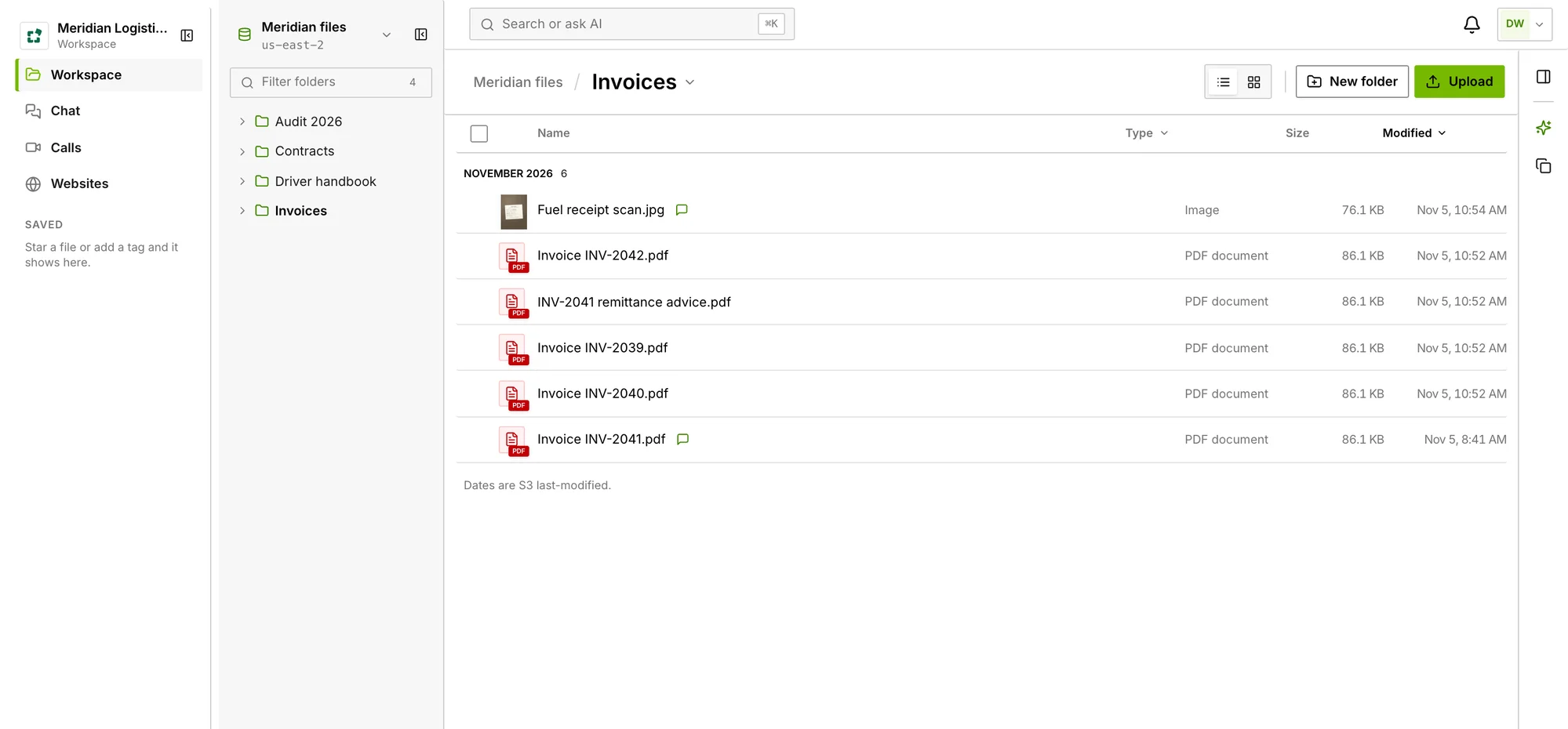
PDF, Office, images including HEIC, audio and video. No download, no desktop app, no AWS login.
- Links that expire
- Set an expiry, revoke any time.
- Look inside zips
- Inspect and extract without downloading the archive.
- Restores with the cost shown
- Glacier and Deep Archive, priced before anyone confirms.
- Viewer, operator, admin
- Who can look, who can work on files, who manages.
- Activity history
- Every preview, share and download, searchable in Activity.
Partner questions
How working together starts.
- A conversation
One client, the files their staff keep asking for.
- A pilot in their account
Their admin launches the stack; we set it up with you.
- Roll out
Extend to other teams or other clients you manage.
Is there a formal partner program?
Not yet. We start with a conversation about one client environment where the problem shows up, then run the first pilot with you.
How is it priced for clients?
Per workspace, not per login. Minimum is free, Standard is $100 a month and Ultra is $350 a month, with a one-month Ultra trial. People who only view files are free on paid plans, and storage and egress stay on the client’s own AWS bill. See plans.
Can clients subscribe through AWS Marketplace?
Yes. The AWS Marketplace listing is free and links the client’s AWS account to their workspace. Paid plans are upgraded inside BucketDesk.
What does the client need to set up?
An AWS admin launches one guided CloudFormation stack and picks the buckets and prefixes to expose. No data moves and no access keys are shared. Our guide to running business documents on Amazon S3 covers the day-to-day after that.
Does this show up in the environments you manage?
Tell us about one client and the files their staff keep asking for. We’ll take it from there.