
S3 Savings · BucketDesk Tools
Find the money hiding in your S3 buckets. Pay only from what it saves.
S3 Savings reads your AWS bill and bucket settings, shows what each change would save in dollars, and applies the changes you approve inside your own AWS account. You pay a share of the savings verified on your bill, starting at 10%, and only after they reach $500.
How it works
Three steps, one stack.
- Connect
Deploy one CloudFormation stack from the Tools page. It creates a role in your account that BucketDesk assumes with an external ID.
- Assess for free
A read-only assessment reads your bucket settings, storage metrics and three months of your S3 bill, then prices each change in dollars a month.
- Apply what you approve
BucketDesk writes the lifecycle and tiering rules you approve, reads them back to check, and reports every change per bucket.
What it fixes
The lines that grow while nobody looks.
- Old versions
Expires noncurrent versions after the days you set and keeps the newest one. Deleting versions is approved separately.
- Unfinished uploads
Clears parts of multipart uploads that never completed, which S3 bills until someone aborts them.
- Files nobody opens
Moves files of 128 KB and more to Intelligent-Tiering, which drops unread data to cheaper tiers that still open instantly.
- Archive tiers, per bucket
Offered with the extra dollars each one saves. Applied only after you confirm the bucket can wait for restores.
How savings are counted
Measured on your bill, not promised in a slide.
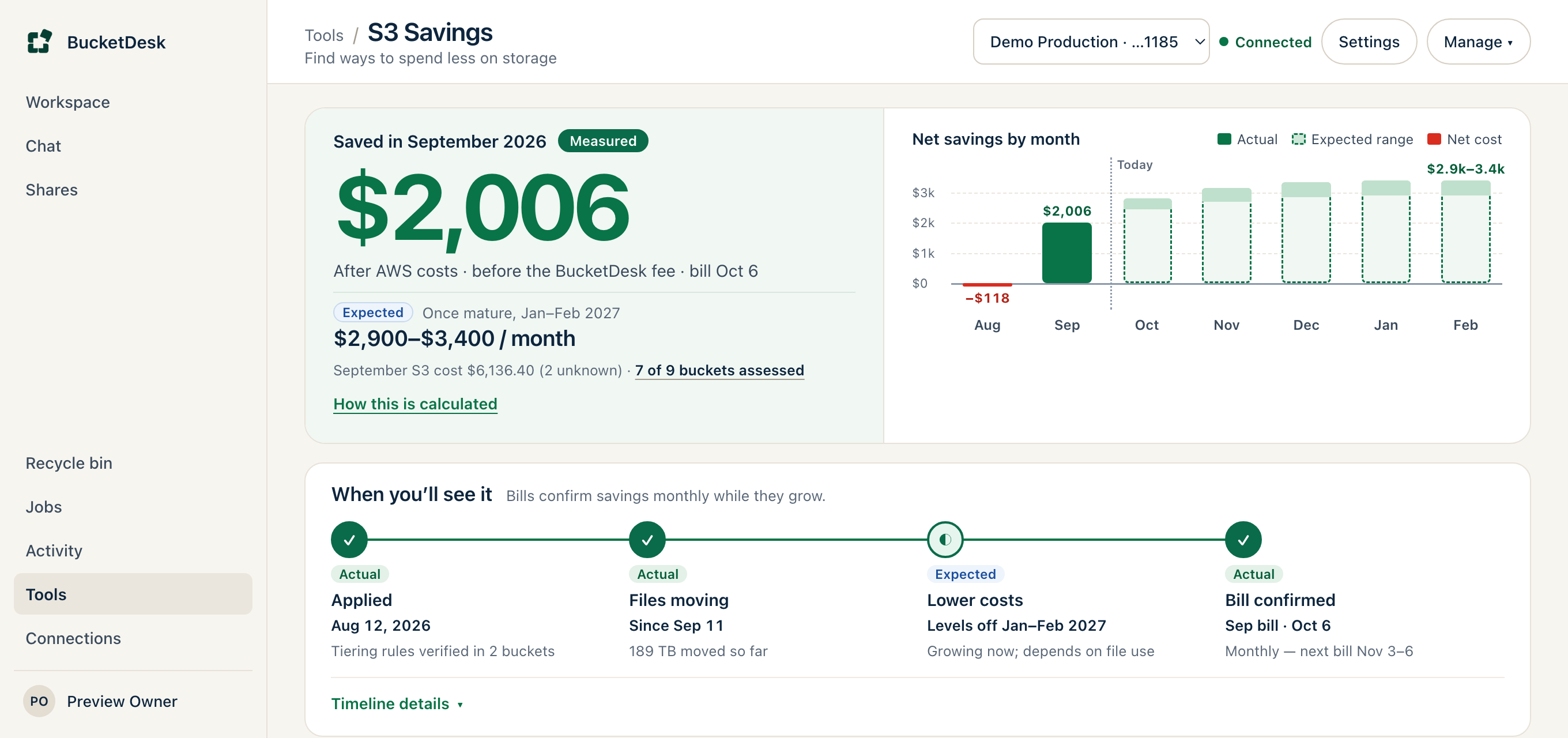
The assessment shows a conservative and an expected figure and labels which numbers are measured and which are estimated. After you apply, each month’s report shows what your AWS bill actually saved, and that verified figure is the only one the fee is based on.
- Runs in your account
- Small helpers inside your account sample buckets and return counts. File names stay there.
- Verified on your bill
- A monthly report compares billed S3 storage and transfer with the baseline from your first assessment.
- Your rules stay yours
- Every other lifecycle rule is carried over unchanged, and you can remove BucketDesk’s rules from any bucket.
- Any plan
- Workspace admins can run it on every BucketDesk plan, including the free Minimum plan.
Pricing
Paid from what it saves you.
The assessment is free. Applying changes needs a card on file. Nothing is charged until the savings verified by your monthly reports reach $500 in total. Then BucketDesk bills a share of your verified savings, starting at 10%, for twelve months from the month of your first changes, on your BucketDesk invoice. The first charge covers everything verified so far, the first $500 included.
What does BucketDesk change in my account?
Lifecycle rules for old versions and unfinished uploads, a transition to Intelligent-Tiering, and archive tiers on the buckets where you opt in. Each rule is written under its own BucketDesk name and verified after it is written. Bucket policies are left as they are.
Can my team still open every file?
Yes, by default. Tiering uses only tiers that open files instantly. Archive tiers, where a file must be restored before anyone can open it, are offered per bucket and applied only after you confirm the wait.
Do I need to be a BucketDesk customer?
You need a BucketDesk workspace, and the free Minimum plan is enough. An admin of that workspace deploys the stack and approves changes.
How do I undo it?
Remove BucketDesk’s rules from any bucket on the S3 Savings page. Your other lifecycle rules stay as they were. Files that already moved to a cheaper tier stay there, and Intelligent-Tiering moves them back to frequent access when they are opened.
See what your buckets would save.
The assessment is free and read-only. It takes one stack and shows the answer in dollars a month.