 BucketDesk
Files live in S3. People don’t.
Plain-spoken writing about getting the right file to the right person without handing out keys, and honest notes on how we build it.
Blurbs drop the acronyms, “Start here” picks the how-tos, and articles show plain-terms notes in the margin.Blurbs name the primitives, “Start here” goes straight to the architecture, and articles show the AWS specifics in the margin.
Start here if S3 is new to you
Three how-tos, 21 minutes total, no setup required.How to access Amazon S3 files without the AWS console
A single link, a managed AWS portal, AWS’s own file browser, or a workspace with sign-in: what each one needs, and where each one lets you down.Presigned URLs, Transfer Family web apps, Storage Browser for S3, and a role-based workspace: capabilities, failure modes, and how to choose.
How to preview files in Amazon S3 without downloading them
Four ways to look at an S3 file without saving it to your desktop first, and which file types each one can actually show.Range GETs, content-type handling, browser-native rendering vs. conversion, and the formats each approach supports.
How to restore files from S3 Glacier Flexible Retrieval and Deep Archive
Archived files aren't gone, they're slow. How long a restore takes, what it costs, how to start one and know when your copy disappears again.Retrieval tiers and times, per-GB and per-request prices, restore-object and head-object, restore vs copy to change class, Batch Operations, and a 1 TB cost example.
Start here if you run the AWS account
The trust model first, then the plumbing.Secure AWS Access Without Sharing Access Keys: How BucketDesk Uses IAM Roles and External IDs
How BucketDesk gets permission to read your files without you typing a password or key into our site.Customer-owned IAM roles, STS temporary credentials and connection-specific External IDs against the confused-deputy problem.
Inside BucketDesk: the AWS architecture behind your file workspace
A tour of what runs where, written for people who are curious rather than people who are on call.Laravel, Fargate, PostgreSQL and temporary AWS access turn a bucket into a workspace, without a second search index.
Your S3 Files Stay in Your AWS Account: How BucketDesk Uses CloudFormation for Secure Access
You run a small template in your own account; it creates a locked-down role we borrow for a short time.Customer-controlled CloudFormation stacks, scoped IAM roles, temporary credentials, and where optional processing creates temporary copies.
Reading paths
Three short syllabi. Read in order, or don’t.Each path answers one question a team actually asks, then goes one layer deeper for the person who has to make it work.
Getting access without the console
How do I let people reach files without handing out AWS keys?
- 01How to access Amazon S3 files without the AWS console6 min
- 02Secure file sharing for business: what to check before you send the link8 min
- 03Connect customer AWS accounts without collecting access keys6 min
- 04Secure AWS Access Without Sharing Access Keys: How BucketDesk Uses IAM Roles and External IDs9 min
- 05Your S3 Files Stay in Your AWS Account: How BucketDesk Uses CloudFormation for Secure Access6 min
- 06What makes an S3 file workspace secure enough for a team6 min
Choosing a file platform
Do I need a document system, or a layer over the bucket I already have?
- 01Cloud document management software when the files are already in your own cloud storage12 min
- 02Enterprise content management when the content already lives in Amazon S310 min
- 03Amazon Quick Suite for documents in S3: what it indexes, what it costs, and when you don't need it9 min
Previewing & working with files
How do people actually open, find and judge files in S3?
- 01How to preview files in Amazon S3 without downloading them7 min
- 02S3 file viewer guide, how to view files in Amazon S3 in your browser and which viewer to choose7 min
- 03S3 document management: how to run business documents on Amazon S312 min
- 04Where the productivity gain actually comes from5 min
- 05Ask questions about documents in S3 with Claude on Amazon Bedrock, with page citations9 min
- 06Amazon Bedrock Knowledge Bases on S3, or just ask the document? Choosing how to chat with business files8 min
- 07Amazon Bedrock AgentCore for document agents on S3: what it runs, what it costs, and when you don't need it8 min
- 08Amazon Textract or Claude on Amazon Bedrock: which one should read the documents in your S3 bucket?9 min
- 09Which Amazon Bedrock model should answer questions about your documents?8 min
- 10Amazon Bedrock Data Automation for documents in S3: what it does, what it costs, and when to use something else9 min
- 11Amazon Bedrock Agents is closed to new customers. What should answer questions about your S3 documents now?8 min
Restores, archives & cold storage
What happens to the big and the old files?
- 01When to move S3 files to Glacier, and how to do it in three steps7 min
- 02How to restore files from S3 Glacier Flexible Retrieval and Deep Archive8 min
- 03How to recover deleted or overwritten files in Amazon S38 min
- 04How to see inside a zip file in Amazon S3 without downloading it7 min
- 05From PHP to Go: Evolving Archive Processing on AWS Batch10 min
- 06What is S3 Object Lock? Retention, legal holds and deletion8 min
- 07Amazon S3 replication explained: same-Region, cross-Region, and what never gets copied9 min
- 08S3 lifecycle rules explained: examples for versioned buckets, delete markers and storage class transitions8 min
- 09How to delete an Amazon S3 bucket, and why it keeps saying the bucket is not empty7 min
- 10Amazon S3 storage classes: which one for which business file9 min
Getting files in & automating
How do files get into S3, and what should a script be allowed to do?
- 01How to upload files to S3: console, CLI and BucketDesk8 min
- 02Does AWS S3 sync delete files? Defaults and --delete explained6 min
- 03aws s3 cp examples: copy files and folders, --recursive, and checking with aws s3 ls8 min
- 04Automating S3 file workflows with Python and boto39 min
- 05S3 event notifications: run code when a file is uploaded to Amazon S39 min
- 06Automation, agents and the approval boundary7 min
Cost & permissions
What does this bucket cost, and who is allowed to touch it?
- 01How to reduce Amazon S3 costs: the three settings that cut most bills8 min
- 02AWS FinOps Agent finds the cost. Knowing what to fix, and fixing it, is the hard part7 min
- 03Amazon S3 pricing explained: per-GB rates and what a business file archive really costs12 min
- 04Amazon Bedrock pricing for document Q&A: what a question about a PDF in S3 really costs8 min
- 05Amazon Bedrock data retention modes: none, default or aws_review for business documents8 min
- 06S3 bucket policy examples for giving a team access to the right files9 min
- 07How do presigned URLs work? S3 downloads, uploads and expiry12 min
- 08Amazon S3 encryption at rest: SSE-S3, SSE-KMS, DSSE-KMS or SSE-C8 min
- 09S3 CORS configuration explained: examples, preflight requests and fixing CORS errors8 min
All writing
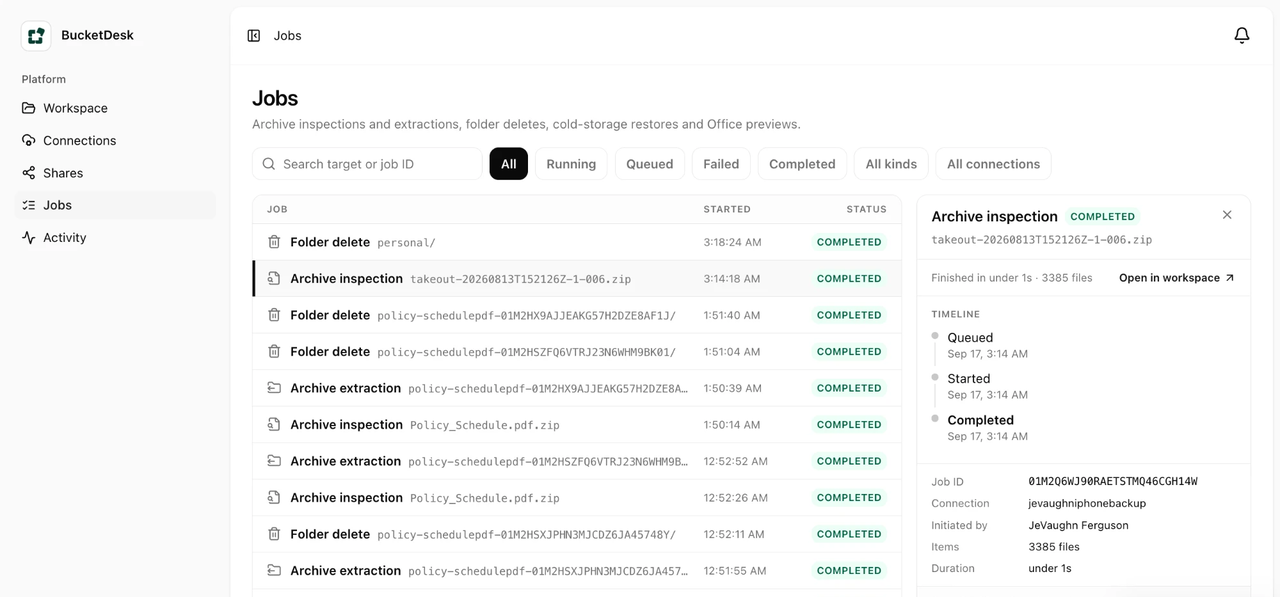
AWS FinOps Agent finds the cost. Knowing what to fix, and fixing it, is the hard part
The FinOps Agent tells you why the bill moved and lists what AWS recommends. Someone still has to choose the right change, make it without breaking anything, and check next month that the money actually came off.FinOps Agent preview scope (Cost Anomaly Detection, CloudTrail correlation, Cost Optimization Hub and Compute Optimizer summaries, Jira and Slack delivery), the hand-off point, and how BucketDesk's S3 Savings tool covers assessment, one-click correction and verified outcomes with timelines.
What are the BucketDesk workspace bucket requirements?
See what you need to connect an S3 bucket to BucketDesk: bucket details, scoped IAM access, KMS permissions and optional capabilities.See what you need to connect an S3 bucket to BucketDesk: bucket details, scoped IAM access, KMS permissions and optional capabilities.
Document processing cost per page: OCR, AI and S3 explained
Learn how to calculate document processing cost per page, separate OCR from AI token charges, and budget for files stored in S3.Learn how to calculate document processing cost per page, separate OCR from AI token charges, and budget for files stored in S3.
Google Docs cloud storage, cross-device sync and version history
See how Google Docs uses Drive storage, keeps documents available across devices, supports offline work and helps restore earlier versions.See how Google Docs uses Drive storage, keeps documents available across devices, supports offline work and helps restore earlier versions.
Is S3 Browser safe? How to evaluate CS Browser access
Assess S3 Browser, now CS Browser, by its download source, AWS permissions, credential handling and the security of the Windows device.Assess S3 Browser, now CS Browser, by its download source, AWS permissions, credential handling and the security of the Windows device.
What is S3 Browser? CS Browser and other S3 interfaces
Learn what S3 Browser is, why it is now called CS Browser, and how a desktop S3 client differs from AWS’s browser component and a workspace.Learn what S3 Browser is, why it is now called CS Browser, and how a desktop S3 client differs from AWS’s browser component and a workspace.
Amazon Nova Pro vs Nova Lite vs Nova 2 Lite for reading business documents
Amazon makes its own AI models, called Nova, and they are often the cheapest way to ask questions about a contract or report. There are three worth knowing, and they are not interchangeable.Model IDs and launch dates, 300K vs 1M context, 10K vs 64K output, no in-Region option for Nova 2 Lite, Pro/Lite past their EOL floor but active, 1K-20K cache window with 5-minute TTL, service tiers, per-question cost at $0.06/$0.24 and $0.80/$3.20.
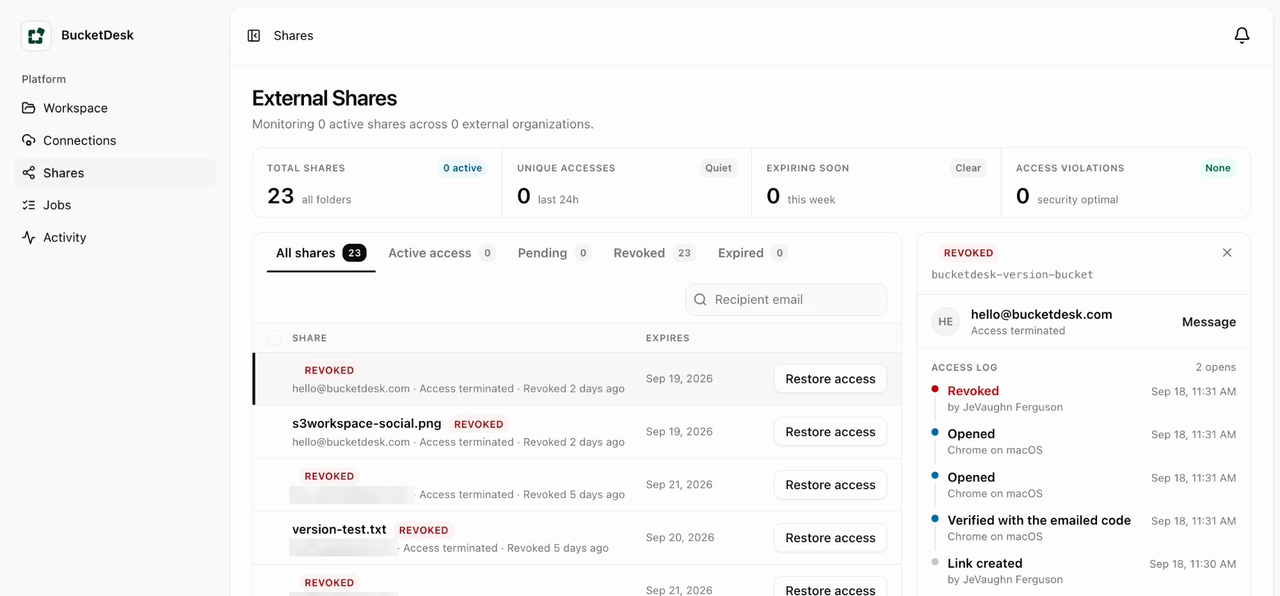
AWS Transfer Family pricing: what an SFTP server or web app for S3 really costs
If a client or partner needs to send you files that end up in Amazon S3, AWS will run an SFTP server or a web portal for you. Here is what it costs each month and what you get for it.$0.30/hour per enabled protocol from creation to deletion, $0.04/GB SFTP/FTPS data, $0.50/hour web app units for 250 sessions per 5 minutes, connector and PGP fees, IAM Identity Center and S3 Access Grants prerequisites, same-account buckets only.
Amazon Quick Suite for documents in S3: what it indexes, what it costs, and when you don't need it
AWS now sells Amazon Quick Suite instead of Amazon Q Business. If you want it to answer questions about files in your bucket, here is what you sign up for and what it costs.Quick Suite tiers and the $250 infrastructure fee, pooled index GB and $5/GB overage, the Enterprise prerequisite for S3 knowledge bases, same-Region and ACL-at-creation constraints, 500 MB file and 30 MB extracted-text limits, daily sync, and the per-document alternative.
Amazon S3 cost, made transparent: see what you pay, what sits unopened, and what each change saves
Your S3 bill is a list of usage types. What you want to know is which buckets cost what, how much of it is for files nobody opens, and what each fix would save. Here is how to get there.Usage types vs buckets, noncurrent versions and unfinished multipart uploads, 128 KB and minimum-duration rules, billed transfer as an upper bound on reads, and net savings per lifecycle action.
Amazon S3 storage classes: which one for which business file
Every file in S3 sits in a storage class that decides what it costs and how fast it opens. Here is which class fits which kind of file, in plain terms.Class codes, the two deciding questions, a per-file-type map, --storage-class on upload, copy-in-place to change class, a waterfall lifecycle rule with ObjectSizeGreaterThan, the 128 KB default, the 94-day ordering rule, and why reads keep Intelligent-Tiering objects warm.
How to reduce Amazon S3 costs: the three settings that cut most bills
The S3 bill is usually high for three boring reasons. Each one is a setting on the bucket, and each one can be checked and fixed without touching a file.NoncurrentVersionExpiration with NewerNoncurrentVersions, AbortIncompleteMultipartUpload, Intelligent-Tiering with optional archive tiers, the 128 KB rule, worked numbers at us-east-1 list prices, and how to read Cost Explorer by usage type.
When to move S3 files to Glacier, and how to do it in three steps
Glacier is the cheap shelf at the back of the warehouse. This is how to decide what goes there, move it in three steps, and still get a file back when someone asks.Glacier Instant Retrieval vs Flexible Retrieval vs Deep Archive, the 90 and 180 day minimums, 40 KB per-object overhead, transition and retrieval fees, a size-filtered lifecycle rule, Intelligent-Tiering archive tiers, and per-object restores from a workspace.
Amazon S3 Vectors for document search: what it stores, what it limits, and when you don't need it
AWS now lets you keep the "meaning fingerprints" that AI search needs inside S3 itself. This explains what that is, when a business needs it, and when asking one document a question is simpler.Vector buckets and indexes, s3vectors PutVectors (500 per call) and QueryVectors (top-k up to 10,000), 1-4,096 dimensions, cosine or euclidean fixed at creation, 2 KB filterable and 40 KB total metadata, non-filterable keys for source text, Knowledge Bases quick-create, OpenSearch export.
S3 access points: give each team its own way into a shared bucket
When several teams share one storage bucket, AWS lets you give each of them their own labelled entrance with its own rules. This explains how that works and when it's simpler to do something else.s3control create-access-point, bucket policy delegation with s3:DataAccessPointAccount, access point ARNs with /object/ resources, s3:prefix on ListBucket, VPC network origin fixed at creation, -s3alias aliases, 20 KB policies, 10,000 per Region, no replication destination.
Amazon Bedrock Data Automation for documents in S3: what it does, what it costs, and when to use something else
AWS has a service that turns a stack of PDFs into a spreadsheet-ready list of fields. This explains what it is, what it charges, and when a person asking one document a question is the better fit.InvokeDataAutomationAsync with inputConfiguration and outputConfiguration S3 URIs, dataAutomationProjectArn and stage, required us.data-automation-v1 profile, 500 MB / 3,000 pages async vs 50 MB / 10 pages sync, blueprints up to 100 fields, $0.040 per page custom output, BDA as a Knowledge Bases parser.
S3 event notifications: run code when a file is uploaded to Amazon S3
When someone drops a file into a bucket, S3 can tap a program on the shoulder. This explains how that works and the mistakes that make it fire twice or forever.SNS, SQS, Lambda and EventBridge destinations, ObjectCreated event types, prefix and suffix FilterRules and the overlap rule, add-permission, put-bucket-notification-configuration replaces everything, at-least-once delivery, sequencer, unquote_plus, Lambda recursive loop detection.
Amazon Bedrock Agents is closed to new customers. What should answer questions about your S3 documents now?
AWS quietly stopped selling the easy way to build a Bedrock agent. If your plan was "point an agent at the contracts bucket", here is what is left and which option fits.Agents Classic maintenance mode (CreateAgent and InvokeInlineAgent 403 for non-allowlisted accounts, frozen model catalog, no EOL), the AgentCore harness feature map (action groups to Gateway MCP tools, KB via Gateway, return of control via inline tools), what still bills per token, and where single-document Converse chat is enough.

Archiving files in Amazon S3: Glacier, lifecycle rules and recovery, the complete guide
Old files don't need to sit in the most expensive storage, and they shouldn't be one click away from deletion either. This guide covers both sides of keeping an archive in S3.Glacier class prices, minimums and per-object overhead, a lifecycle rule to Deep Archive, restore tiers and times, delete markers, Object Lock modes, SRR/CRR and SSE-KMS.
How to delete an Amazon S3 bucket, and why it keeps saying the bucket is not empty
The Delete button in S3 is the easy part. The hard part is everything S3 is quietly still keeping in the bucket, and whether you really want the name to be free for anyone else.DeleteBucket requires zero objects, versions, delete markers and incomplete multipart uploads; rb --force skips versions; list-object-versions plus delete-objects for the rest; lifecycle expiration for large buckets; same-account access points block deletion; Object Lock, SCP/RCP and bucket-policy Deny statements; global namespace reuse.
Previewing and sharing files in Amazon S3: the complete guide
Once people can reach your S3 files, the next two questions are how to look at one without downloading it and how to send it to someone outside the company. This guide covers both.Content-Type and inline disposition, range requests, CORS, presigned GET and POST, zip central directories, and the four properties a safe external share needs.
Keep business files in S3 or move them to Dropbox or SharePoint?
If your files are in S3 and your team hates it, you can move them to Dropbox or SharePoint, or keep them in S3 and give people a better way in. This compares the two paths with real numbers.Dropbox team storage tiers, SharePoint's 1 TB plus 10 GB per license pool and Extra File Storage, S3 Standard at $0.023/GB-month, egress at $0.09/GB, and where each system draws the ownership boundary.
Amazon Textract or Claude on Amazon Bedrock: which one should read the documents in your S3 bucket?
Two AWS services can read a PDF in your bucket. One is a scanner that fills in fields, the other is a reader you can ask questions. This explains which to reach for.Textract sync 10 MB / 1 page vs async 500 MB / 3,000 pages, FORMS, TABLES, QUERIES, LAYOUT, SIGNATURES feature types, per-page prices, Converse 4.5 MB x 5 document limit, citations need a text layer, Textract-then-Bedrock pipeline.
What a document chat costs on Amazon Bedrock, by model, with prompt caching
Why the second question about a document can cost a tenth of the first, and which model to pick for a quick question or a long conversation.Converse cachePoint placement after a document block, cacheReadInputTokens and cacheWriteInputTokens, 1.25x write and 0.1x read rates, 4,096-token minimum on Haiku 4.5, 5-minute TTL, Nova results.
S3 access for non-technical teams: the complete guide
Your files are already in S3. This guide walks through every way to let the rest of the company use them, and what each choice costs you.A map of the access problem: presigned URLs, Storage Browser, desktop clients, IAM roles with external IDs, bucket policies, previews and sharing.
Which Amazon Bedrock model should answer questions about your documents?
Bedrock offers dozens of models. For asking a contract or report a question, six things actually separate them, and most of them are not on the leaderboard.Converse document limits are model-independent, citations documented for Claude, cache minimums 512 to 4,096 tokens by model, Nova 20K cache cap and 5-minute TTL, aws_review-only models, geo and global inference profiles vs bedrock-mantle, EOL no sooner than dates, Marketplace billing lines.
Amazon Bedrock data retention modes: none, default or aws_review for business documents
When you ask AI on AWS about a company document, AWS now lets you choose whether that conversation may be kept. Here is what each choice means and who should make it.data_retention_mode none/default/aws_review/provider_data_share/inherit, project → account → model default resolution, allowed_modes and ValidationException, bedrock:PutAccountDataRetention with the DataRetentionMode condition key, and destination-Region storage under cross-Region inference.
Connect BucketDesk to Claude and ChatGPT
Ask Claude or ChatGPT to find, read and share files in your company's S3 buckets, without giving it AWS keys.Remote MCP server at app.bucketdesk.com/mcp, OAuth 2.1 with PKCE, ten tools with read-only and destructive hints, one-hour tokens scoped to one workspace.
How to keep document AI spending under control in your own AWS account
Asking AI about your files is billed by AWS to your account. A few settings make sure a busy week never turns into a surprise invoice.Per-question token math for Converse with a document block, BucketDesk's per-person throttles, AWS Budgets with a deny-policy budget action on the document chat role, Cost Anomaly Detection, and AWS/Bedrock InputTokenCount and OutputTokenCount alarms.
S3 file browser options compared, from the AWS console to Cyberduck, S3 Browser, Transmit and web workspaces
Four ways to look through the files in an S3 bucket like folders on a computer, who each one suits, and what each one needs from your AWS account.Console, Amplify component, desktop clients and hosted workspace compared on principal model (per-user IAM identity vs one scoped role), hosting, platform and licence.
S3 lifecycle rules explained: examples for versioned buckets, delete markers and storage class transitions
Lifecycle rules are how a bucket tidies itself: moving old files somewhere cheaper and clearing out copies nobody needs. Here is how to write them without deleting the wrong thing.Filter And blocks with prefix, tags and ObjectSizeGreaterThan, NoncurrentVersionExpiration with NewerNoncurrentVersions, ExpiredObjectDeleteMarker, AbortIncompleteMultipartUpload, conflict precedence, midnight-UTC rounding and transition request costs.
How to connect Claude to Amazon S3 with an MCP server
MCP is how AI assistants like Claude plug into other systems. Here is how to point one at your company's files in Amazon S3 without handing it the keys to everything.AWS MCP Server (call_aws over OAuth or SigV4), aws:ViaAWSMCPService deny statements, community S3 servers on access keys, and a workspace-scoped MCP server whose tools inherit an app's roles and audit log.
S3 Glacier Deep Archive: when it saves money and when it costs more
Deep Archive is the cheapest place to keep files in AWS, as long as you rarely need them back. Here is how to tell whether your files qualify.DEEP_ARCHIVE billing mechanics, 8 KB Standard plus 32 KB archive overhead per object, the 128 KB lifecycle default, one-way transitions, and Standard vs Bulk restores.
Amazon Bedrock AgentCore for document agents on S3: what it runs, what it costs, and when you don't need it
AgentCore is AWS's toolkit for running your own AI agents. Here is what it would take to point one at your company's files, and when a simpler tool already answers the question.Runtime microVM sessions (8 hours, 100 MB payloads, 2 vCPU / 8 GB), execution roles that need your own s3:GetObject, Gateway turning Lambda and OpenAPI into MCP tools, vCPU-hour and GB-hour billing with free I/O wait, and Quick's MCP client.
Amazon Bedrock pricing for document Q&A: what a question about a PDF in S3 really costs
Asking AI about your documents is billed by how much text it reads and writes. Here is what drives that number up or down, and the other charges that come with it.Converse document tokens with and without citations, service_tier flex (-50%) and priority (+75%), 50% batch pricing, cache reads vs writes and the 1-hour TTL, global profiles ~10% cheaper, and application inference profiles with cost allocation tags.
How to see inside a zip file in Amazon S3 without downloading it
A zip in S3 is a sealed box. How to see what's in it, and how big it gets when unpacked, before anyone downloads or extracts it.Reading the zip central directory with S3 Range GETs, a seekable boto3 file object for zipfile, and the limits to enforce before extraction.
Amazon Bedrock Knowledge Bases on S3, or just ask the document? Choosing how to chat with business files
Two ways to ask AI about the files in your bucket, and how to tell which one your team actually needs.RAG over S3 with Managed or customer-managed knowledge bases, StartIngestionJob incremental sync, metadata.json, ACL filtering, versus Converse document blocks.
Ask questions about documents in S3 with Claude on Amazon Bedrock, with page citations
How to ask a contract or report in your bucket a plain-language question and get an answer that shows the page it came from.Converse API document blocks with s3Location, CitationsConfig, documentPage locations, 5 x 4.5 MB limits, data_retention_mode, IAM for InvokeModel and GetObject.
aws s3 cp examples: copy files and folders, --recursive, and checking with aws s3 ls
The command that copies a file or a whole folder to or from S3, and the trailing slash that decides where it lands.Key naming, --recursive, filter order, server-side copy, --metadata-directive REPLACE, streaming, exit codes, ls --summarize.
S3 CORS configuration explained: examples, preflight requests and fixing CORS errors
Why a web page can be blocked from reading files in your bucket, and the short setting that allows it for the sites you choose.Rule matching, preflight, AllowedOrigins wildcards, ExposeHeaders ETag for multipart, put-bucket-cors, CloudFront CORS-S3Origin, debugging.
Amazon S3 replication explained: same-Region, cross-Region, and what never gets copied
How to keep an automatic second copy of your files in another place, and the deletes and old files it does not copy.SRR vs CRR, versioning and role requirements, delete marker replication, version-ID deletes, Batch Replication, RTC, cross-account ownership, Object Lock, costs.
Does AWS S3 sync delete files? Defaults and --delete explained
How the one-line command that copies a folder to S3 decides what to send, and how to stop it deleting the wrong thing.Sync comparison rules, filter precedence, --delete scope, --dryrun, --size-only, --exact-timestamps, versioned buckets and delete markers.
Amazon S3 encryption at rest: SSE-S3, SSE-KMS, DSSE-KMS or SSE-C
Your S3 files are already encrypted. What actually matters is who holds the key and who is allowed to use it.SSE-S3 vs SSE-KMS vs DSSE-KMS vs SSE-C, the kms:Decrypt and GenerateDataKey grants, Bucket Keys, the April 2026 SSE-C default, and Batch Operations re-encryption.
What is S3 Object Lock? Retention, legal holds and deletion
How to make sure a file cannot be changed or deleted for a set time, and why the strict setting has no undo.Governance vs compliance mode, BypassGovernanceRetention, legal holds, event-hold retention, permanent enablement, Batch Operations, lifecycle interaction.
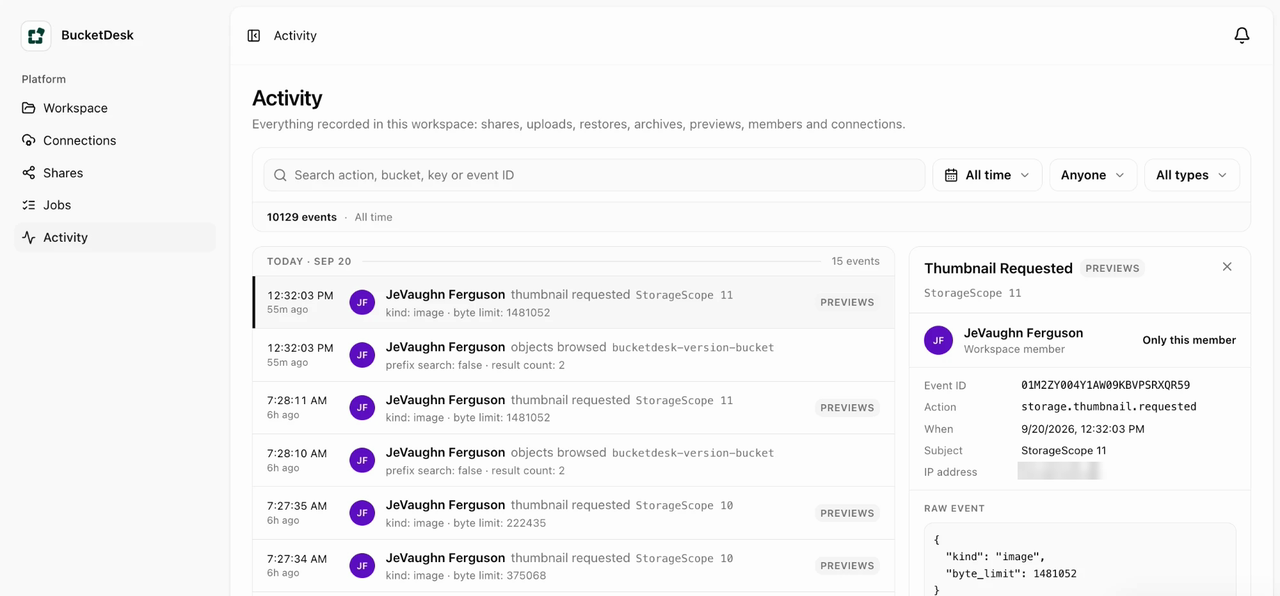
How to recover deleted or overwritten files in Amazon S3
A file vanished or the wrong copy replaced it. Here is how to find the older version and bring it back without losing more history.Delete markers, version IDs, safe copy-on-rollback, Object Lock boundaries, and lifecycle rules for a bounded recovery window.
Amazon S3 pricing explained: per-GB rates and what a business file archive really costs
Why the S3 bill rarely matches the per-gigabyte number, and the handful of settings that decide it.The six billed dimensions, minimum durations and the 128 KB minimum billable size, Intelligent-Tiering vs lifecycle, and the lines people forget.
Automating S3 file workflows with Python and boto3
Where small S3 scripts break once there are more than a thousand files, and the boring fixes that keep them honest.Paginators, managed transfers, the credential provider chain, presigned-URL limits, lifecycle rules, and S3 Select’s closed status.
Cloud document management software when the files are already in your own cloud storage
Before comparing features, answer one question: whose account holds the file? Everything else follows from it.Documented ceilings for SharePoint, Google Drive and S3, the per-seat vs per-GB cost shapes, and what storage-first genuinely gives up.
Enterprise content management when the content already lives in Amazon S3
Everything an “enterprise content management” pitch promises, sorted into the half your bucket already does and the half it does not.Versioning, Object Lock, lifecycle, SSE-KMS and CloudTrail cover store and preserve; identity, rendering, metadata search and workflow do not exist in S3.
How do presigned URLs work? S3 downloads, uploads and expiry
Sending someone one file without giving them an AWS account, and the reasons the link dies sooner than you asked.CLI, boto3 and JS SDK signing, credential-bound expiry, presigned POST conditions, s3:signatureAge and s3:authType, and the errors worth recognising.
S3 bucket policy examples for giving a team access to the right files
How to write down "this team reads these files and nothing else" without accidentally saying something broader.Evaluation order, bucket vs object ARNs, s3:prefix scoping, aws:PrincipalOrgID, the TLS and encryption denies, and what Block Public Access counts as public.
Secure file sharing for business: what to check before you send the link
Four things a shared link needs before you send it to someone outside the company, and what each common method is missing.Expiry, revocation, recipient identity and per-open logging, scored against public objects, presigned URLs, attachments and workspace shares.
How to upload files to S3: console, CLI and BucketDesk
Drag-and-drop, one command, or a colleague who should never see AWS at all: which upload route fits, and the file size that decides it.The 5 GB / 160 GB / 48.8 TiB ceilings, CLI transfer defaults, the 10,000-part cap, and the lifecycle rule that stops incomplete uploads billing you.
How to access Amazon S3 files without the AWS console
A single link, a managed AWS portal, AWS’s own file browser, or a workspace with sign-in: what each one needs, and where each one lets you down.Presigned URLs, Transfer Family web apps, Storage Browser for S3, and a role-based workspace: capabilities, failure modes, and how to choose.
How to restore files from S3 Glacier Flexible Retrieval and Deep Archive
Archived files aren't gone, they're slow. How long a restore takes, what it costs, how to start one and know when your copy disappears again.Retrieval tiers and times, per-GB and per-request prices, restore-object and head-object, restore vs copy to change class, Batch Operations, and a 1 TB cost example.
S3 document management: how to run business documents on Amazon S3
What a document system needs, which parts your S3 bucket already does, and how people should actually reach the files.Key design, tags and S3 Metadata, IAM roles, presigned URL limits, Versioning, Object Lock, CloudTrail, Bedrock and Quick, and the options for the people layer.
S3 file viewer guide, how to view files in Amazon S3 in your browser and which viewer to choose
Why some files in S3 open in your browser and others download, the quick fixes, and what to ask any tool that promises to show your team their files.Content-Type and Content-Disposition handling, response header overrides on presigned GETs, browser-native vs converted formats, and the grant model and data path of hosted viewers.
How to preview files in Amazon S3 without downloading them
Four ways to look at an S3 file without saving it to your desktop first, and which file types each one can actually show.Range GETs, content-type handling, browser-native rendering vs. conversion, and the formats each approach supports.
What makes an S3 file workspace secure enough for a team
No shared passwords, a name on every action, careful sharing outside the company, and a guard on the delete button.No shared keys, scoped roles, identity on every action, controlled external sharing, and guarded destructive operations.
Your S3 Files Stay in Your AWS Account: How BucketDesk Uses CloudFormation for Secure Access
You run a small template in your own account; it creates a locked-down role we borrow for a short time.Customer-controlled CloudFormation stacks, scoped IAM roles, temporary credentials, and where optional processing creates temporary copies.
From PHP to Go: Evolving Archive Processing on AWS Batch
Why unzipping a huge file in the cloud is harder than it looks, and how we made it faster and safer.Streaming S3 uploads, ZIP Range GETs, private routing, checkpoints, and a Laravel control plane driving Go workers.
Secure AWS Access Without Sharing Access Keys: How BucketDesk Uses IAM Roles and External IDs
How BucketDesk gets permission to read your files without you typing a password or key into our site.Customer-owned IAM roles, STS temporary credentials and connection-specific External IDs against the confused-deputy problem.
Inside BucketDesk: the AWS architecture behind your file workspace
A tour of what runs where, written for people who are curious rather than people who are on call.Laravel, Fargate, PostgreSQL and temporary AWS access turn a bucket into a workspace, without a second search index.
A cost conscious technical stack for an S3 file workspace
How we kept the bill small by adding expensive parts only when people actually needed them.Modular app, browser-native previews, one isolated worker; managed media and search only after demand justifies them.
Automation, agents and the approval boundary
Why we let AI read and recommend, but never let it touch your files without a rule saying it may.Agents understand content and propose; deterministic workflow policy controls what can happen to customer files.
Connect customer AWS accounts without collecting access keys
The short version of how a connection works, for anyone who has to approve one.Customer IAM roles, an external ID and temporary STS credentials so every workspace receives bounded, expiring access.
When to use Storage Browser for Amazon S3, the AWS file browser component
Sometimes the free component from AWS is exactly right. Here's how to tell.Direct object management vs. understanding and safely processing contents: the line between the component and a workspace.
Where the productivity gain actually comes from
It’s in the handoffs you stop doing between finding a file, opening it, and doing the next thing.Fewer handoffs between find, open, understand and act.
New articles, when there’s one worth sending.
No schedule and no digest filler. One email per article, written by the person who built the thing. Unsubscribe in one click.
We don’t invent benchmarks, customers or compliance claims. Technical pieces link to primary documentation and say plainly what has shipped and what is only a direction.