Can I use S3 instead of Google Drive?
Yes for storing and sharing company files, no for co-authoring documents. S3 storage costs about $0.023 per GB-month and does not grow with headcount; Google Workspace is $7 to $22 per user per month with 30 GB to 5 TB pooled per user. Here is the comparison and what S3 needs on top.
S3 can replace Google Drive as the place company files live, at about $0.023 per GB-month with no per-user charge, but not as the place people write documents together. Keep Drive for co-authoring, put the archive in S3, and add a workspace so staff can browse, open and share without AWS credentials.
Yes, if the job is to store, find and share company files, and the archive is big enough that paying per gigabyte beats paying per person. No, if the job is writing documents together: Google Drive's Docs, Sheets and Slides co-authoring and desktop sync have no equivalent in S3, which is storage rather than an office suite. Prices below are as listed on October 27, 2026.
What each one charges
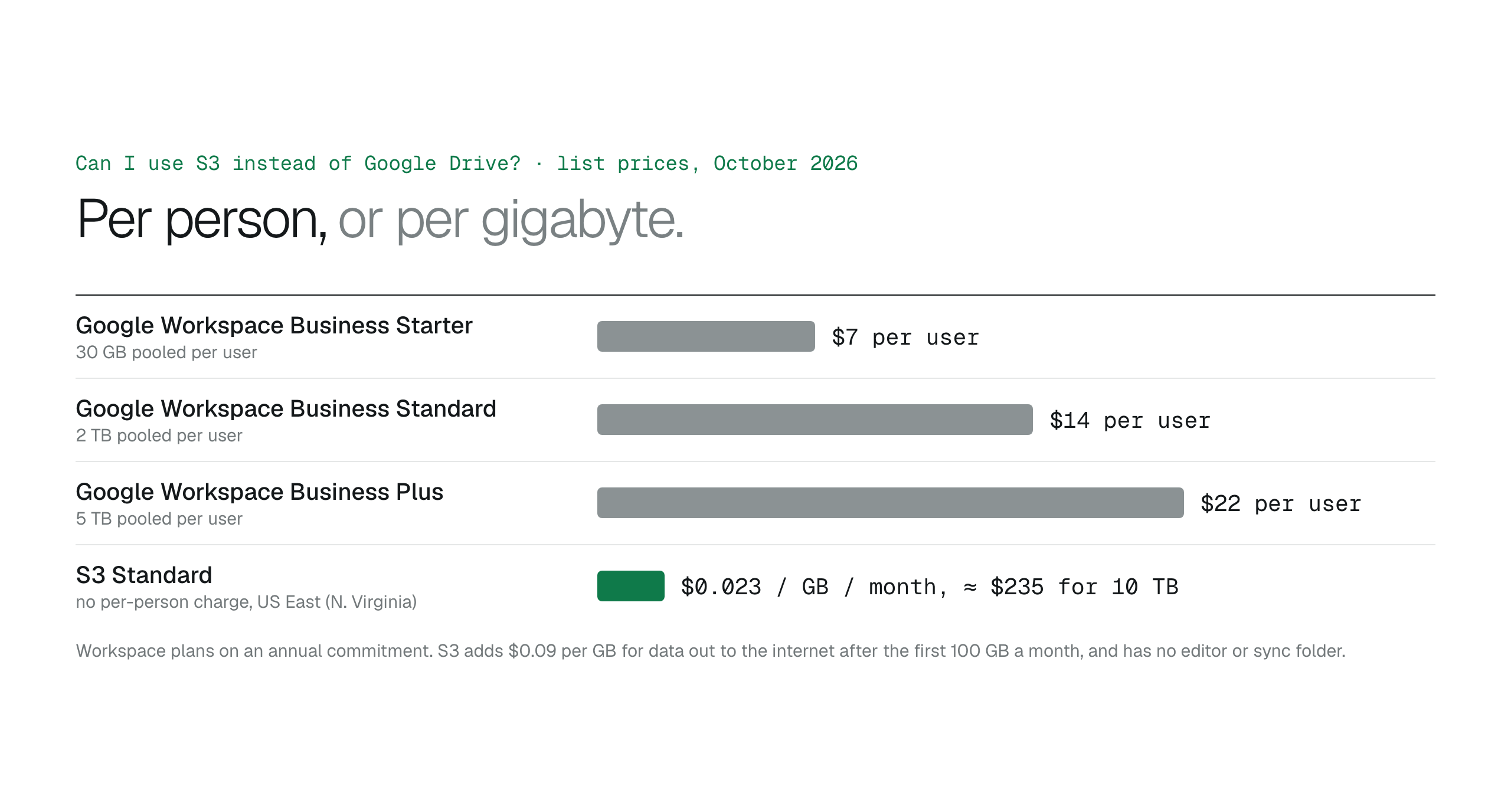
Google Workspace is priced per user with storage pooled across the team. Business Starter is $7 per user per month with 30 GB per user, Business Standard $14 with 2 TB per user, and Business Plus $22 with 5 TB per user, all on an annual commitment and capped at 300 users. Twenty people on Business Standard pay $280 a month for a 40 TB pool whether they fill it or not.
S3 charges for bytes. S3 Standard in US East (N. Virginia) is $0.023 per GB-month, so 10 TB costs about $235 a month before requests and transfer, and the same 10 TB costs the same whether two people or two hundred use it. Data leaving AWS to the internet is $0.09 per GB after the first 100 GB a month. Files nobody opens can move to colder storage classes for a fraction of the Standard rate.
Amazon S3 pricing explained: what a business file archive really costs
- Google Drive: per user, storage pooled, grows with headcount.
- S3: per gigabyte, no per-person charge, grows with terabytes.
What S3 does not do
Three things are missing out of the box. There is no editor: a Word file in S3 is a file, not a live document two people can type into. There is no desktop sync folder. And there is no friendly way in for someone without an AWS login; the console is built for the people who run the account, and sharing a file natively means a presigned URL that an engineer generates.
If the team's day is spent co-authoring in Docs and Sheets, keep Google Drive for that work. If most of the files are finished documents, scans, media and exports that people need to find, open and send, S3 plus an access layer is the cheaper home, and the same reasoning applies to Dropbox and SharePoint.
- Keep Google Drive for live documents and co-authoring.
- Use S3 for the archive: finished files, scans, media, exports.
- Add an access layer so staff never need AWS credentials.
S3 for the files, a workspace for the people
BucketDesk gives staff the Drive-like part on top of your own bucket. It connects through a scoped IAM role deployed with CloudFormation, people sign in to BucketDesk rather than AWS, and they browse folders, open PDFs, images and Office files in the browser, and on Standard send share links that expire, can be revoked and record every open. The files never leave your AWS account, so the storage bill stays per gigabyte.
Plans and pricingSecure file sharing for business and clients
Minimum is free for one bucket. Standard is $100 a month for five operators with viewers free; Ultra is $350 and adds uploads, delete with confirmation and Glacier restores.
Primary sources
Discussion
0 comments · open to guests · moderatedLiked this? Get the next article by email. No schedule, no digest, one click to leave.