Choosing a Secure XLSX Document Viewer for S3 Storage
Pick an XLSX document viewer for spreadsheets in Amazon S3: how rendering works, which files break, and why an IAM role beats shared access keys.
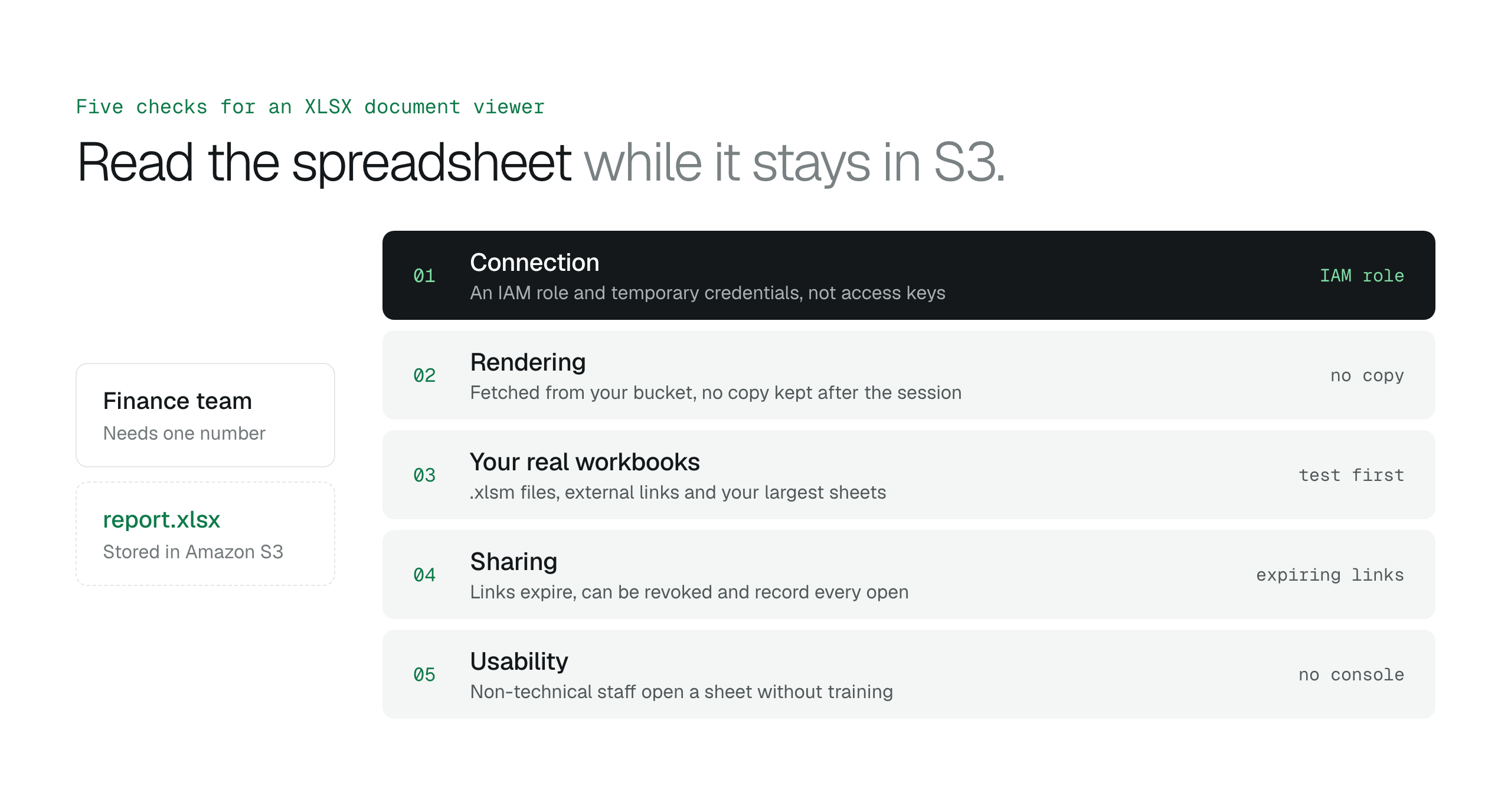
A secure XLSX document viewer shows a spreadsheet in the browser while the file stays in your S3 bucket. Pick one that connects through an IAM role instead of access keys, test your macro and linked workbooks before you commit, and share with expiring links instead of email attachments.
A finance manager needs to check one line in a transaction log stored in an Amazon S3 bucket. Without a viewer, they download the file, open it in Excel and then delete the local copy to follow the company's data handling policy. A secure XLSX document viewer replaces those steps: it shows the spreadsheet in the browser while the file stays in the bucket.
This guide covers how an XLSX document viewer renders a spreadsheet, which workbooks break in a browser, why the connection to S3 matters more than the rendering, and the checks to run before you pick one.
How an XLSX document viewer renders a spreadsheet
An XLSX document viewer is a web tool that shows spreadsheet data in a browser without a local Excel installation. It is a preview layer, not a replacement for desktop Excel.
An .xlsx file is a ZIP archive of XML files that hold cell values, formatting rules and workbook relationships. The viewer unpacks those XML parts and draws them as a grid, so a reader can scroll through sheets and check values on any device with a web browser.
Rendering happens in one of two places. A client-side viewer parses the file in the reader's browser tab, which saves server work but is limited by the memory on that device: a sheet with hundreds of thousands of rows or thousands of styles can make the tab hang. A server-side viewer converts the file on a document server and sends the result to the browser, which handles larger workbooks and gives every device the same result. Either way, the security question is where the file goes during rendering and how the viewer reaches the bucket.
How to preview files in Amazon S3 without downloading themA browser-based S3 file viewer for business documentsChoosing a Visio document viewer for secure S3 workflows
Macros and external links break in a browser viewer
A financial analyst opens a monthly reconciliation report from S3 in a web viewer. The grid and cell values appear, but the "Update Currency" button does nothing and the summary sheet shows #REF! errors. The workbook depends on logic and data that live outside the viewer.
Web viewers do not run Visual Basic for Applications (VBA) macros. A .xlsm extension marks a macro-enabled workbook, so expect its buttons and scripts to stop working in a browser. External links that point to other files on a local drive or a corporate network share also fail, because the viewer has no path to those locations from S3.
If the library is mostly data exports and flat logs, a web viewer covers the job. If the team relies on workbooks that work like small applications, keep desktop Excel for the people who maintain them, or move that logic into a proper service.
| Feature | In a read-only web viewer | In desktop Excel |
|---|---|---|
| VBA macros | Not run | Run |
| External file links | Broken when they point to local or private paths | Resolved |
| PivotTables | Show the last saved state | Refresh and recalculate |
A file workspace lets non-technical teams open spreadsheets
A finance analyst who opens a bucket in the AWS Management Console sees IAM policies, versioning settings and encryption options before they see a file list. That screen is built for engineers. Faced with it, people ask IT for an export, and every export is a copy outside the bucket's access rules.
A file workspace on top of the bucket gives that analyst folders, search and previews, much like a consumer file-sharing app. The spreadsheets stay in the organization's S3 bucket, under its bucket policies, while people find and open them without learning the console.
Document AI answers questions about a spreadsheet
A logistics coordinator needs to know which carriers missed their delivery windows in July, and the answer is buried in a large shipping manifest. In a plain viewer that means scrolling and stacking column filters.
Document AI lets the coordinator ask the question in plain language instead, such as "Which region had the highest growth between May and August?", and get an answer about that file without leaving the preview. In BucketDesk, Document AI is an Ultra feature: it answers questions about one document at a time, including .xlsx files, and runs on Amazon Bedrock.
How can I view Excel files in S3 without downloading them?
Open them in an XLSX document viewer connected to the bucket. The viewer fetches the file and shows it as a grid in the browser, so a project manager can check a budget without saving a copy to their laptop.
Is it safe to use a free online XLSX viewer for business data?
No, not for sensitive files. A free online viewer copies the spreadsheet to its own servers, under its own security and retention rules. Use those tools only for files you would be comfortable handing to a third party.
How do I give non-technical users access to S3 files without IAM keys?
Give them a file workspace that connects to the bucket through an IAM role, and share single files with expiring links. Staff sign in to the workspace with their own accounts, so nobody handles AWS credentials.
Can I preview XLSX files stored in S3 Glacier?
Files in S3 Glacier Instant Retrieval open like any other object. Files in S3 Glacier Flexible Retrieval or S3 Glacier Deep Archive need a restore first, which makes a temporary readable copy. Once the restore finishes, the viewer can open the file.
Restore files from S3 Glacier Flexible Retrieval and Deep Archive
How to choose an XLSX document viewer for S3
A marketing manager downloads a 40 MB performance report from S3 to check one conversion rate, then leaves the file in their Downloads folder for the rest of the quarter. Storage security does not help once the file is on a laptop. The viewer decides whether your controls end at the bucket or reach the reader's screen.
- Check the connection: the viewer uses an IAM role and temporary credentials, not access keys
- Check where rendering happens: the viewer fetches the file from your bucket and keeps no copy after the session
- Test your real workbooks: try .xlsm files, external links and your largest sheets
- Check sharing: links expire, can be revoked and record every open
- Check usability: non-technical staff can find and open a sheet without training
Open spreadsheets where they already live
BucketDesk opens Excel files from your own S3 bucket in the browser and shares them with expiring links, so people check a number where the file already lives.
- Connect your bucket
BucketDesk assumes an IAM role in your AWS account, with a connection-specific external ID and 15-minute credentials
- Open the spreadsheet
a .xlsx file renders read-only in BucketDesk's own viewer, fetched from your bucket with a short-lived link and kept only while it is open
- Share a preview
send a link that expires in 1 to 30 days, asks the recipient for a code sent to their email, and records every open
Excel, Word and PowerPoint previews are on Standard ($100 a month). Document AI is on Ultra ($350 a month, after a one-month free trial). Minimum is free for one bucket.
Primary sources
Discussion
0 comments · open to guests · moderatedLiked this? Get the next article by email. No schedule, no digest, one click to leave.