How to preview files in Amazon S3 without downloading them
Four ways to open an S3 object in the browser instead of saving it to disk, what each one needs, and where each one stops working.
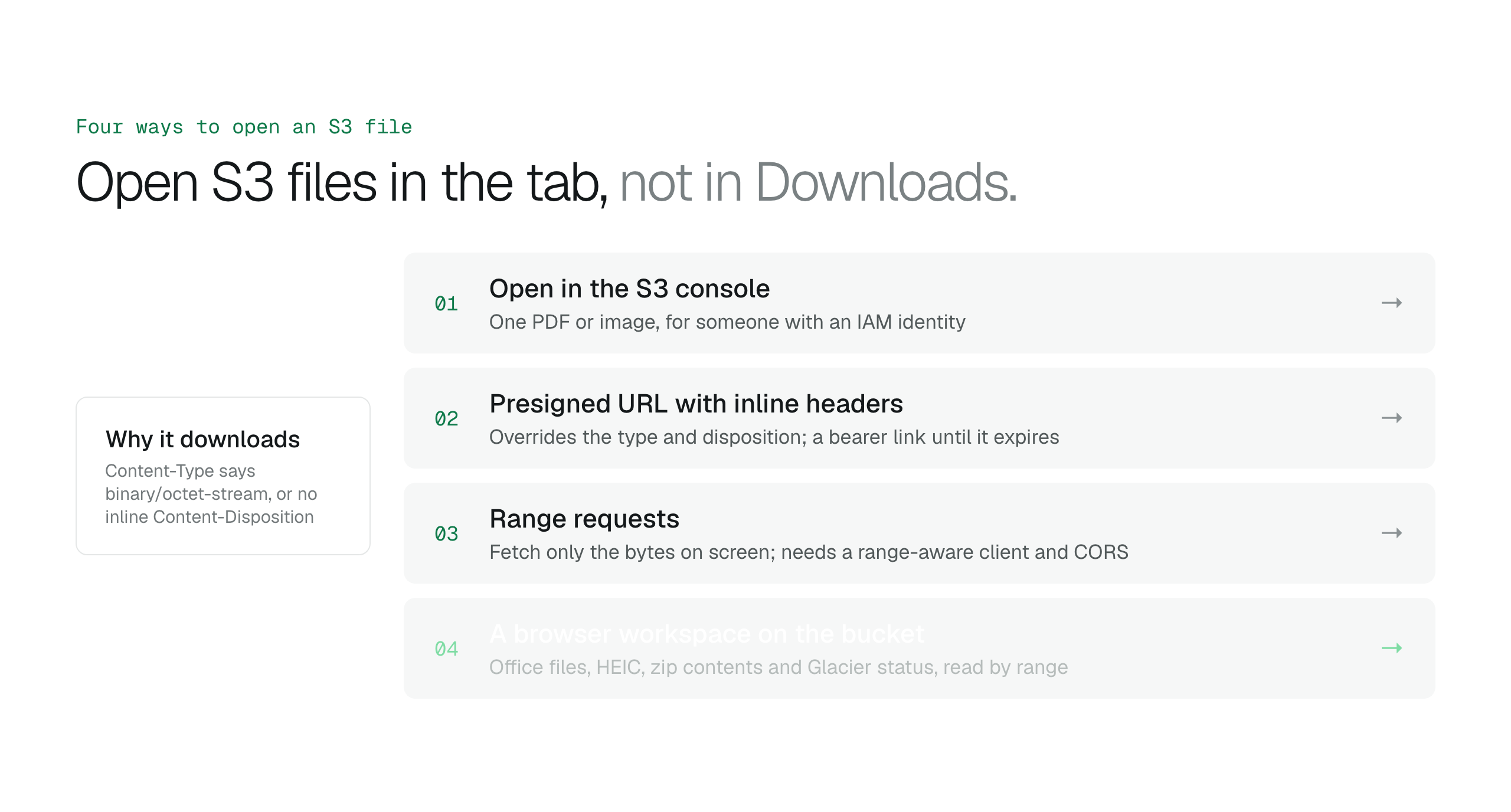
For one PDF, fix the Content-Type or use a presigned URL with an inline disposition. For large media, use range requests. For a team that needs Office files, HEIC, archives and cold storage in one place, use a workspace that renders them on top of your bucket.
Amazon S3 stores objects, not documents. It will hand you the bytes of a contract, a spreadsheet or a video, but whether those bytes open in a browser tab or land in your Downloads folder depends on a few response headers, the file format, and the storage class.
This guide covers the options in order of effort: the S3 console, presigned URLs with the right headers, range requests for large files, and a browser workspace that handles the formats a browser cannot render on its own.
Why S3 objects download instead of opening
A browser decides what to do with a response from two headers. Content-Type tells it what the bytes are, and Content-Disposition tells it whether to show them inline or save them as an attachment. Objects uploaded by scripts and backup tools often carry a generic type such as binary/octet-stream, so the browser has no choice but to download them.
Even with correct headers, a browser only renders what it natively understands: PDF, common image formats, plain text, HTML, and some audio and video. Word, Excel and PowerPoint files, HEIC photos and zip archives need something to convert or interpret them first.
Option 2: a presigned URL that forces inline display
A presigned URL grants time-limited access to one object using the permissions of whoever signed it. When you generate it, you can override the stored headers for that single response with the response-content-type and response-content-disposition parameters of GetObject. Setting the disposition to inline and the type to application/pdf makes a mislabelled PDF open in the tab without changing the object.
Two limits matter. A URL signed with temporary credentials stops working when those credentials expire, even if you asked for a longer lifetime. And anyone holding the URL can open the object until it expires, so a presigned link is a bearer token, not a share with an identity attached.
Option 3: range requests for large files
GetObject accepts a Range header, so a viewer can fetch only the bytes it needs. A video player requests the segment being watched. A PDF viewer can fetch the pages on screen. A zip file keeps its index at the end of the archive, so a tool can read the last few kilobytes and list every entry without downloading the rest.
This is the difference between previewing an 84 GB master file and waiting for it. It requires a client that speaks range requests, and a CORS configuration on the bucket if that client runs in a browser.
What none of these can open
- Office documents need a rendering service. A browser cannot display .docx, .xlsx or .pptx on its own.
- HEIC photos from iPhones are not supported by most desktop browsers and need conversion.
- Objects in S3 Glacier Flexible Retrieval or Deep Archive cannot be read at all until a restore request completes, which takes minutes to hours depending on the tier.
- Archives need an index reader, otherwise the only way to see the contents is to download and unpack them.
Option 4: a browser workspace on top of the bucket
BucketDesk is a hosted workspace that connects to your bucket through a scoped IAM role and renders files in the browser. PDF, images including HEIC, text, HTML and Markdown preview on every plan, including the free Minimum plan. Office documents and streamed audio and video are part of Standard. Files are read by range from your bucket, and zip archives can be inspected before anything is extracted.
See how file previews work in BucketDeskPlans and pricingCompare these steps with the AWS Console
One detail worth knowing before you adopt any Office preview: rendering Word, Excel and PowerPoint requires a conversion step. BucketDesk runs that conversion on its own document server, which fetches the file with a short-lived link and keeps it only while the document is open, as described in the privacy notice. Everything else is read directly from S3.
Primary sources
Discussion
0 comments · open to guests · moderatedLiked this? Get the next article by email. No schedule, no digest, one click to leave.