Access S3 Bucket Data Without IAM Access Keys
Access S3 bucket data with IAM roles instead of static access keys. Temporary credentials expire on their own, and your team gets previews and expiring links.
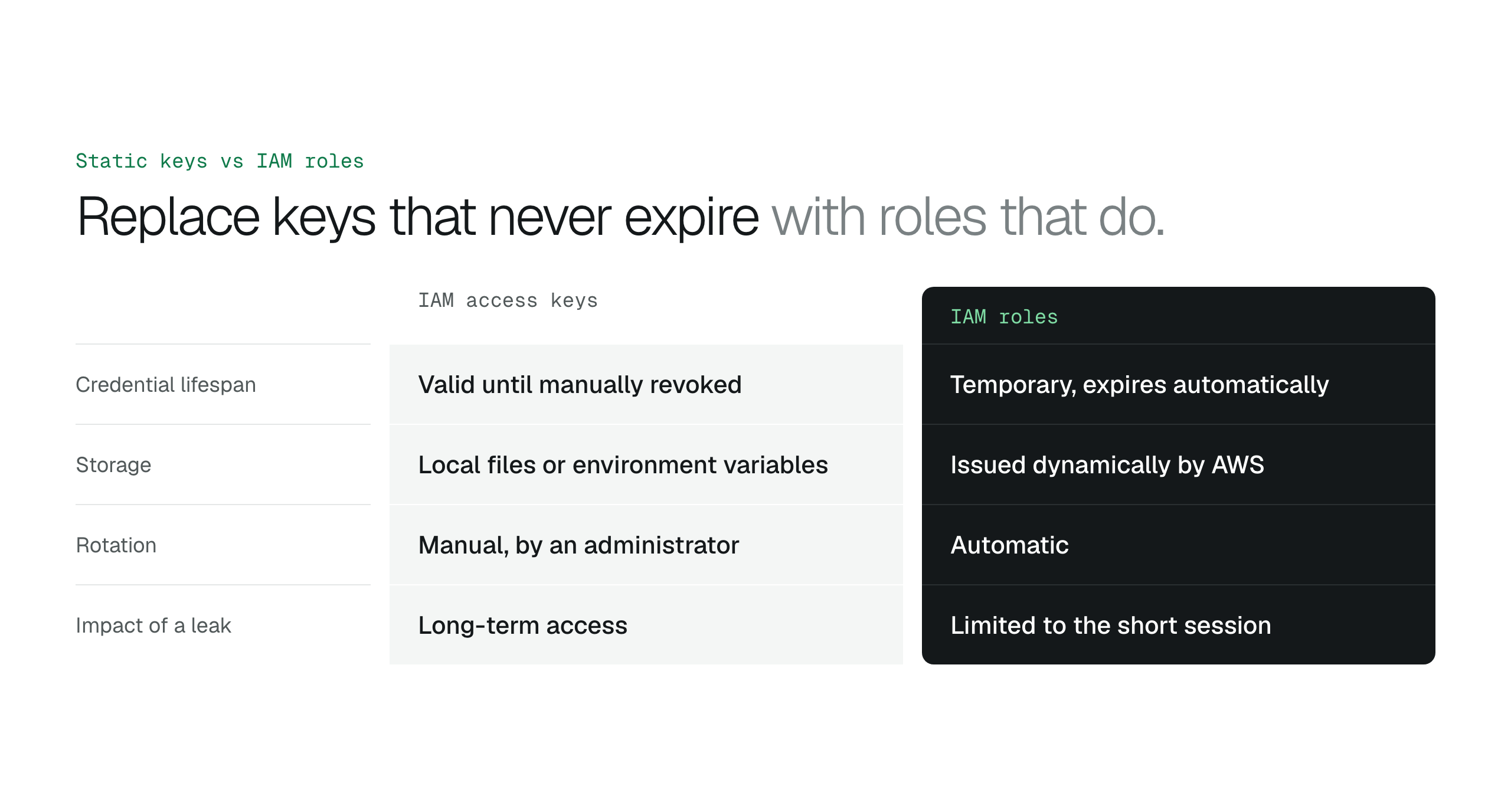
Replace static IAM access keys with a role that issues temporary credentials, and give staff a workspace with previews and expiring links so nobody needs the AWS console.
To access S3 bucket data without IAM access keys, connect through an IAM role that issues temporary credentials. A static access key is a long-lived secret stored in a file or a script, and it works until someone deletes it. A role hands out credentials that expire on their own, so a leaked token stops working within hours.
This guide covers how roles replace keys, why the AWS Management Console suits administrators more than business users, how expiring links share files, and how Document AI and Glacier restores work for staff who never touch the AWS backend.
Access S3 buckets through IAM roles instead of keys
Every request to S3 goes through the S3 API and carries a signed request that proves who is asking. AWS checks that identity against IAM policies before any data moves, so each GET or PUT is authorized and tracked.
Least privilege means a user or service holds only the permissions its task needs. A policy can grant s3:GetObject and s3:ListBucket on one bucket ARN and leave out s3:PutObject, so a service built to read data cannot overwrite or delete it.
A service that assumes an IAM role requests temporary credentials from the AWS Security Token Service (STS). No long-term secret is distributed, and the tokens expire automatically. When outside vendors assume roles in your account, an external ID prevents the confused deputy problem; the article on IAM External ID explains how it works.
Static access keys stay valid until someone revokes them
A developer who needs log files creates an Access Key ID and Secret Access Key and pastes them into a config file. Unlike a password protected by multi-factor authentication, the key grants its creator's permissions to anyone who holds it, and it stays active until an administrator deletes it.
A role uses a trust policy and returns temporary credentials through STS. The session lasts between fifteen minutes and twelve hours, and a leaked token is useless after its expiry timestamp.
Roles also end manual rotation. Static keys need scheduled updates, and a forgotten legacy script breaks when the old key is retired. Role credentials are issued fresh on every session. Review your current tools against the guide to whether S3 Browser is safe to confirm none of them stores static keys.
| Feature | IAM access keys | IAM roles |
|---|---|---|
| Credential lifespan | Valid until manually revoked | Temporary, expires automatically |
| Storage | Local files or environment variables | Issued dynamically by AWS |
| Rotation | Manual, by an administrator | Automatic |
| Impact of a leak | Long-term access | Limited to the short session |
The AWS Console is built for administrators
A project manager who needs a client presentation lands in a console built for cloud engineers, with IAM roles and bucket policies in the way. The console shows no preview of Microsoft Office documents or PDFs, so staff download each file to see what is inside, and copies end up on local drives.
AWS offers Storage Browser for S3, a lightweight interface for browsing buckets and folders without the full console. It covers basic file operations. Teams that need previews, search and sharing for non-technical staff need a workspace built for that job.
BucketDesk connects with a role and gives your team a file workspace
BucketDesk connects to your buckets through an IAM role you create from a CloudFormation template. No access keys are shared, and you can revoke the role at any time. The default role is read-only and can be limited to one bucket prefix, and the security page lists every IAM action the role can use.
Staff see a folder-based browser instead of the console. Images, video and documents open in the browser and stream from your bucket when you open them, so files stay in your own AWS account. Office previews use a temporary copy that is deleted after 24 hours. Administrators decide who can view, operate, share and administer, so there is no need to create an IAM user for every person who reads a document.
Connecting customer AWS accounts without access keysAccess Amazon S3 files without the AWS Console
Document AI answers questions from your documents
Auditing five years of vendor contracts in an S3 bucket means downloading thousands of PDFs and searching each one for an indemnity clause. The text inside the files is invisible until someone opens them.
On the Ultra plan, Document AI lets a user ask a question in plain language and get an answer drawn from the documents in the bucket. A 200-page manual becomes a single question instead of a download. Files stay in your bucket and nobody collects copies in download folders.
Glacier restores become one click
Restoring a three-year-old audit log from S3 Glacier Flexible Retrieval through the AWS CLI means choosing a retrieval tier and a duration, and one mistyped parameter in a JSON block fails the request or raises the cost.
On the Ultra plan, BucketDesk adds a restore button to the file browser. The app makes the API calls, shows the cost for you to confirm before the restore starts, and notifies the requester before the restored copy returns to cold storage. Staff never handle a raw secret key.
Connect S3 with a role and give your team the files
BucketDesk replaces access keys with an IAM role and gives non-technical staff previews, search and expiring links. The Minimum plan is free for one bucket.
- Create the role
launch the CloudFormation template in your AWS account.
- Browse and preview
your team opens files in the browser, with no console access.
- Share with expiry
send a link that stops working after 1 to 30 days.
Standard adds sharing, and Ultra adds Document AI and Glacier restore. The Ultra trial lasts one month.
Discussion
0 comments · open to guests · moderatedLiked this? Get the next article by email. No schedule, no digest, one click to leave.