Owners and admins
Administrator guide
This page is for the people who run a workspace: its owner and its admins. Connections have their own page, Connect your AWS account.
Roles#
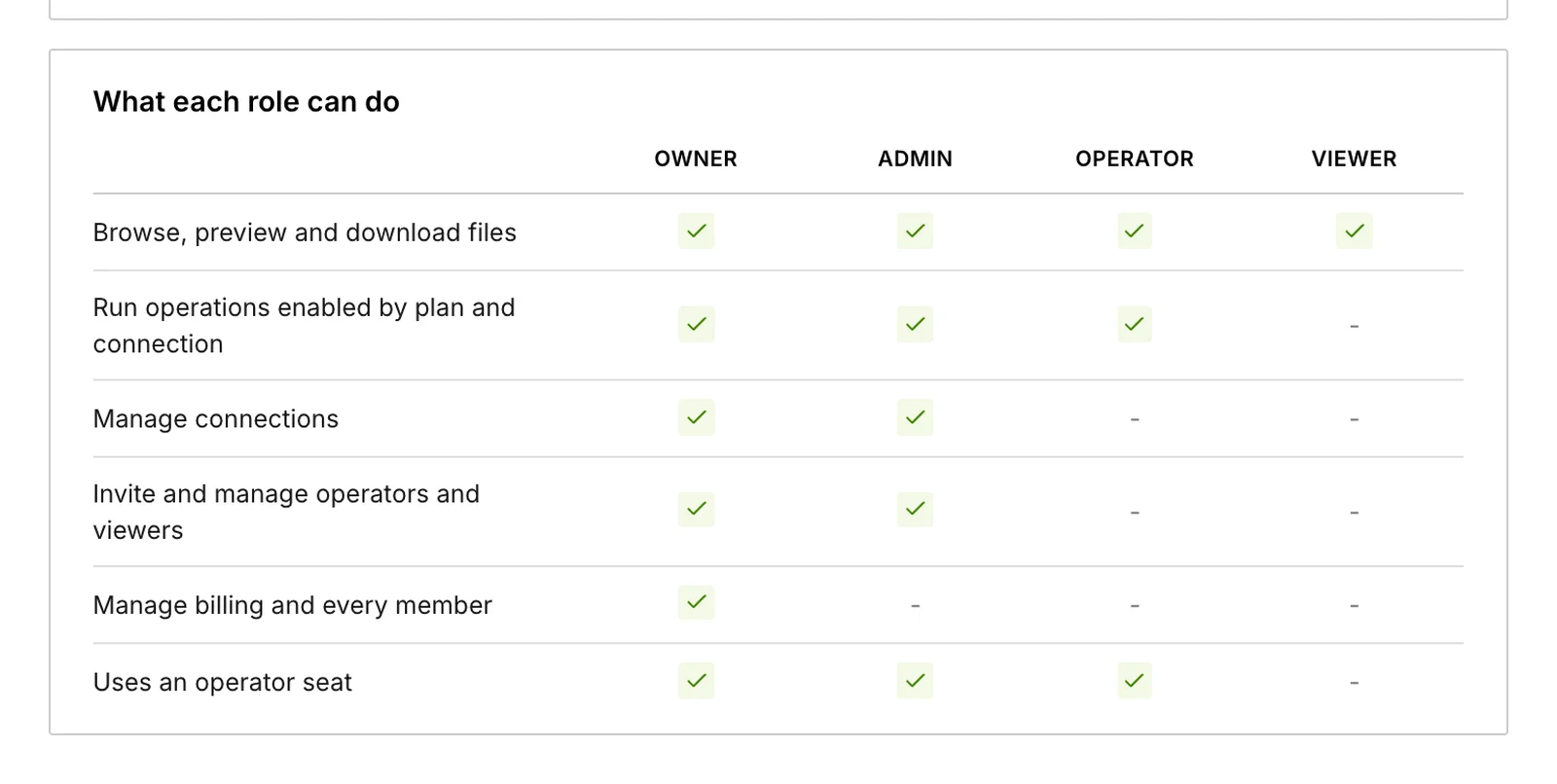
Every member has one of four roles.
| Item | Viewer | Operator | Admin | Owner |
|---|---|---|---|---|
| Browse, preview and download | Yes | Yes | Yes | Yes |
| Upload, share, edit, delete and restore, where the plan and connection allow | – | Yes | Yes | Yes |
| Manage connections and install tools | – | – | Yes | Yes |
| Invite and manage operators and viewers | – | – | Yes | Yes |
| Manage admins and billing | – | – | – | Yes |
| Uses a paid seat | – | Yes | Yes | Yes |
- A workspace has one owner: the person who created it.
- Admins cannot change or remove other admins. Nobody can change their own role or remove the owner.
- Viewers are free and unlimited on Standard and Ultra. Minimum has one operator and one viewer.
Who sees which files#
Every member sees every connection in the workspace. There are no per-folder or per-person permissions inside a connection.
To limit what people can reach, limit the connection: connect a folder instead of the whole bucket, and leave the write features off on connections that should stay read-only. The folder boundary is enforced by the IAM role in your AWS account, not only by BucketDesk.
Invite people#
- Open Settings → Members and choose Invite a colleague.
- Enter the person’s email address and choose their role.
- They follow the emailed link, create their account with that same address, and verify it.
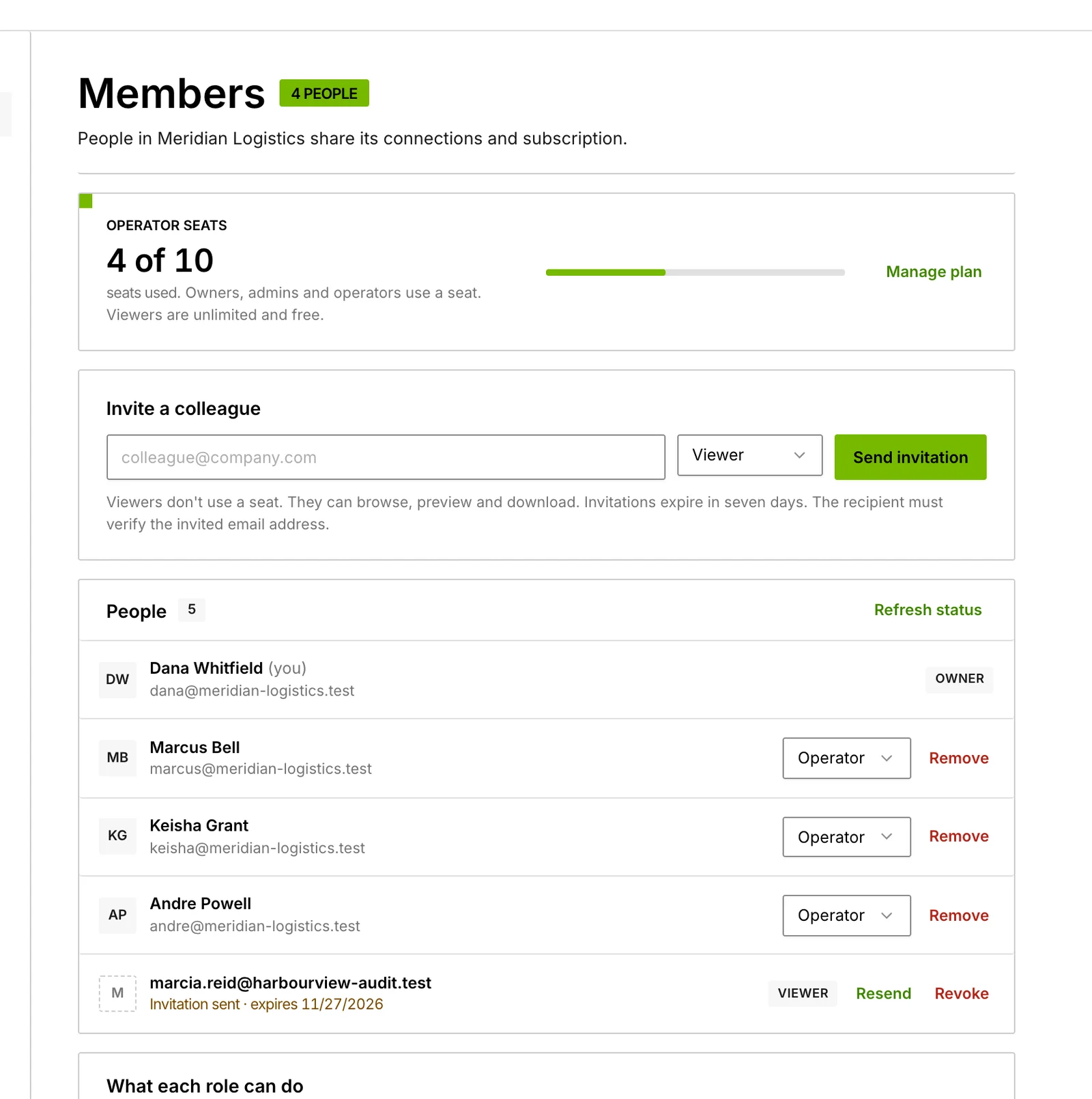
- An invitation lasts seven days and can be used once.
- It works only for the exact address it was sent to.
- You can resend or revoke a pending invitation from the Members page.
- A pending invitation for an operator or admin holds a seat until it is accepted or revoked.
- Inviting past your seat limit is blocked. Add a seat first; nothing is charged automatically.
Change a role or remove someone#
Both are on Settings → Members.
Removing a member takes effect immediately:
- They lose access to the workspace. Their personal account is kept.
- Share links they sent stop working, and their API tokens and AI assistant connections are revoked.
- Their devices are signed out on the next request. AWS keys already issued to BucketDesk Sync expire within the hour.
Changing an operator to a viewer also stops the share links they sent.
CarefulFiles someone has already downloaded cannot be recalled.
Two-factor authentication#
- Each person sets up an authenticator app, with recovery codes, or a passkey under Settings → Security.
- Owners and admins must have one of these to manage connections, members, tokens and tools. A new account has 14 days before this is enforced.
- Settings → Security also lists your signed-in sessions, with Sign out all other sessions.
- Changing a password signs out other sessions, API tokens and AI assistant connections.
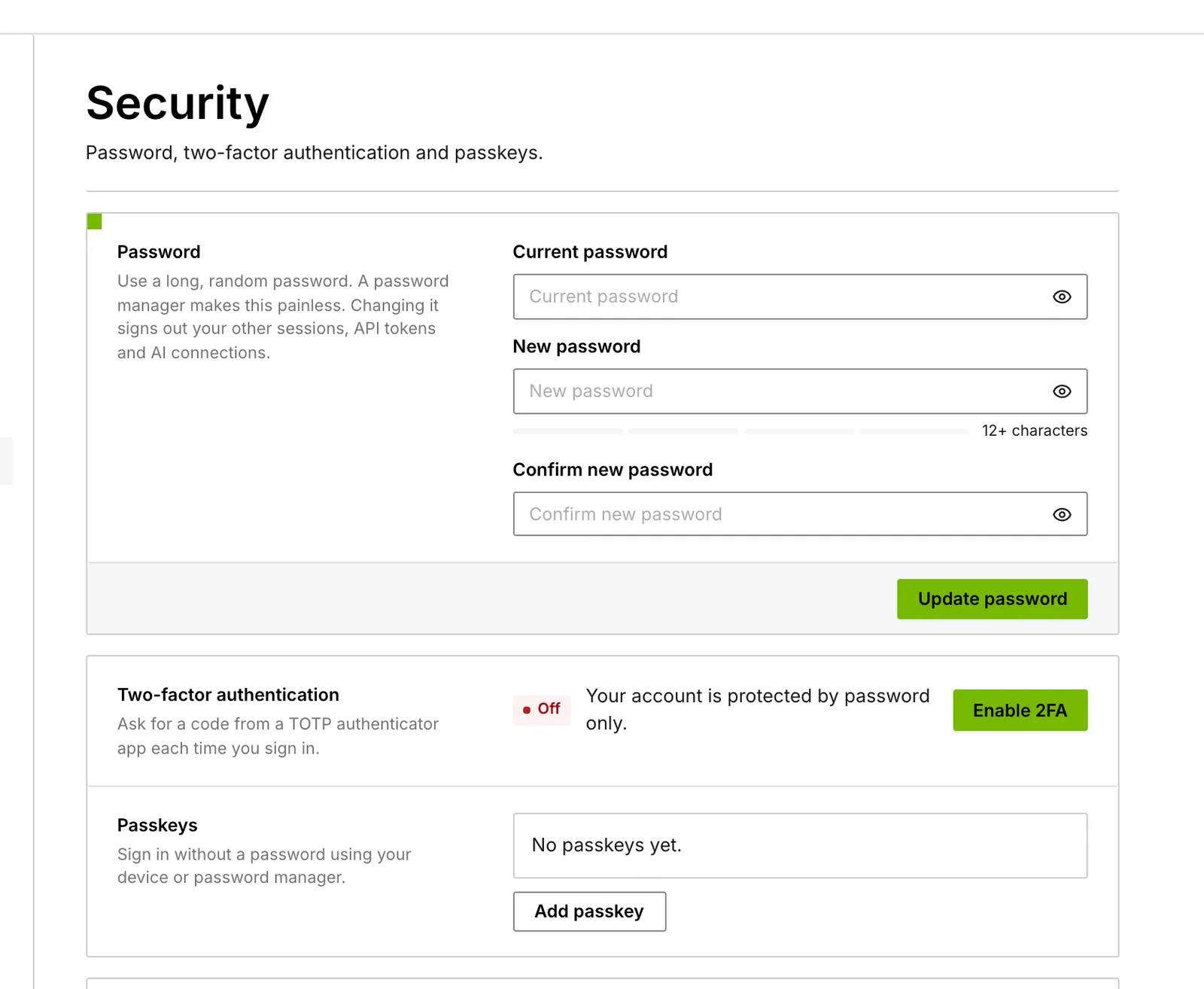
Sign-in is by email and password or passkey. Single sign-on, with OpenID Connect or SAML 2.0, comes with the self-hosted edition on an Ultra or Enterprise licence.
Plan, seats and billing#
Only the owner sees Settings → Billing.
| Item | Minimum | Standard | Ultra |
|---|---|---|---|
| Price | $0 | $100 a month or $1,000 a year | $350 a month or $3,500 a year |
| Operators included | 1 | 5 | 10 |
| Each extra operator | Not available | $15 a month or $150 a year | $25 a month or $250 a year |
| Viewers | 1 | Unlimited, free | Unlimited, free |
| Connected buckets | 1 | Unlimited | Unlimited |
- Change plan, or switch between monthly and yearly, on the Billing page. Yearly billing gives two months free.
- Add or remove operator seats with Update seats. An added seat is charged now for the rest of the period.
- Standard can add Delete + Recycle bin for $25 a month or $250 a year.
- Payment details, invoices and cancelling are in the Stripe portal, linked from the Billing page.
- Moving from Ultra to Standard takes effect right away, and the page tells you what stops working first. Downgrades are not refunded.
- The Ultra trial is 30 days, needs no card, and is one per workspace. Only the owner can start it.
Allowances
Minimum and Standard include a monthly number of free uses of the features above them. The count is shown next to the button that uses it and starts again on the 1st. When one runs out, that feature pauses until the 1st and everything else keeps working.
| Each month | Minimum | Standard |
|---|---|---|
| Office previews | 30 | Included |
| Video and audio plays | 30 | Included |
| Share links | 9 | Included |
| ZIP inspections | 9 | Included |
| ZIP extractions | 3 | Included |
| Document chat questions | 15 | 25 |
| Uploads | 30 | 50 |
| Office edits | 9 | 15 |
| Deletes | 30 | 50 |
| Folder downloads | 3 | 5 |
| Cold storage restores | 3 | 5 |
| Convert jobs | 1 | 5 |
| Signature requests | 3 | 5 |
API tokens and AI assistants#
- On Ultra, admins create tokens under Settings → API tokens for scripts and AI agents.
- A token is read-only or read and write, and expires after 30 days, 90 days or a year.
- Claude, ChatGPT and other MCP clients connect to the workspace’s MCP server at
https://app.bucketdesk.com/mcpand sign in through the browser. - Devices signed in to BucketDesk Sync are listed on the same page, where you can revoke them.
Activity log#
The Activity page records who viewed, shared, moved or deleted which file, and administrative changes. Filter it by type, person and date.
- Operators, admins and the owner see the workspace’s activity. Viewers see only their own.
- Entries are kept for 13 months.
- On Standard and Ultra, the owner and admins get an email on the 1st with last month’s counts: people who opened files, files opened, shares sent and opened, uploads, restores and document questions. It never includes file names.
For a record BucketDesk cannot change, use AWS CloudTrail in your own account, which logs every session that uses the connection’s role.
Settings pages#
| Page | What is there | Who |
|---|---|---|
| Profile | Name, email, language, and deleting your account | Everyone |
| Security | Password, passkeys, two-factor authentication, sessions | Everyone |
| Appearance | How the app looks | Everyone |
| Notifications | Which events notify you, in the app and by email | Everyone |
| Members | Invitations, roles, removing people | Owner and admins |
| Billing | Plan, seats, add-on, Stripe portal | Owner |
| API tokens | Tokens, AI assistant connections, Sync devices | Admins, on Ultra |
| AWS cost center | A connection to your AWS billing account | Owner |
| Self-hosted | Ultra and Enterprise licence keys for the self-hosted edition | Owner |
Close the workspace#
The owner closes a workspace by deleting their account under Settings → Profile → Delete account, which asks for the password. This deletes every workspace that account owns and cancels the subscription.
Nothing in S3 is touched. Afterwards, delete the BucketDesk- stacks in CloudFormation to remove the roles from your AWS account.
Something wrong or missing on this page? Email info@bucketdesk.com. Last updated November 12, 2026.