Compare · Cyberduck
A Cyberduck alternative for teams working in S3.
Cyberduck is a desktop app for Mac and Windows that each person installs and connects to S3 using a supported AWS authentication method. BucketDesk opens the same bucket in a web browser for everyone on your team, through a role you create in your AWS account, so the files stay where they are.
One month of Ultra free. No card needed to start.
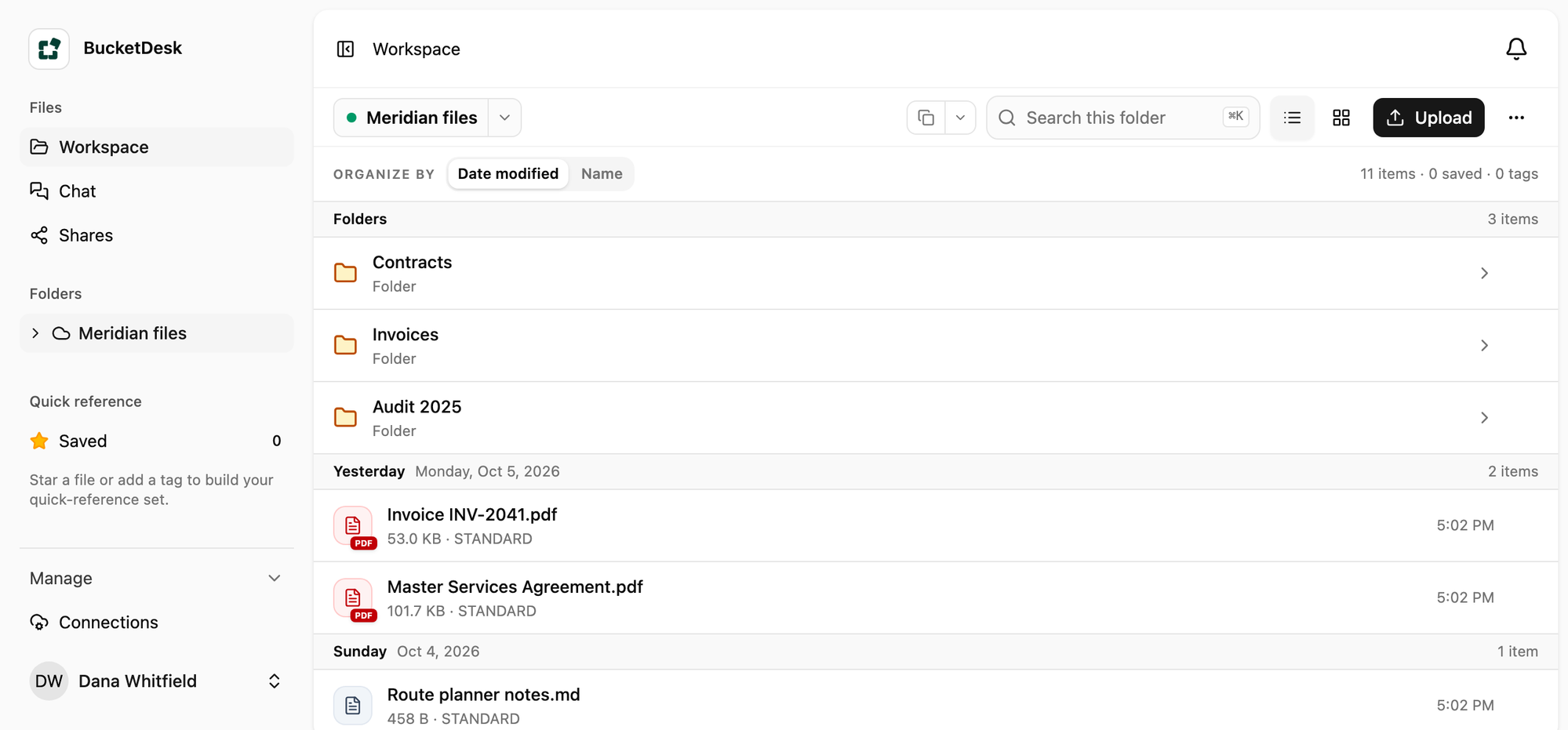
In the browser
The bucket your team opens.
Folders and files from a connected S3 bucket, with previews, search and share links. Nothing to install.
Compare workflows
Choose the workflow that fits your team.
Compare an installed desktop workflow with a shared browser workspace. Desktop authentication depends on your AWS setup; BucketDesk requires an administrator to connect a bucket before inviting teammates.
Let a teammate into the files
The desktop sign-in method depends on how your organization configures AWS.
Cyberduck
Install the desktop app and configure its S3 connection using an authentication method supported by your organization.
BucketDesk
An administrator first connects the bucket through an IAM role. Invite teammates by email to use the shared browser workspace.
Send a client one file
Both make a link that expires. BucketDesk sends it to one email address and lists every link in Shares, with each open.
Cyberduck
Generate a time-limited S3 URL in the desktop app and send it to the recipient.
BucketDesk
Share a file with a named email recipient and manage the link in Shares.
Look at a PowerPoint
BucketDesk shows Office files, PDFs and photos in the browser.
Cyberduck
Work with the file from the desktop client, using a compatible local application when needed.
BucketDesk
Find the file and open its supported preview in the browser.
Looking at other desktop tools too? See More Cyberduck alternatives for teams.
Nothing moves
Your files stay in your bucket.
- Create the role
One CloudFormation stack in your AWS account, scoped to one bucket and folder.
- Invite your team
They sign in to BucketDesk by email and see only what you connected.
- Take it back any time
Delete the stack and access ends. Your CloudTrail records each session the role starts.
Questions
What people ask first.
- Do I stop using Cyberduck?
Keep it for the work you do on your own computer. BucketDesk is for everyone else who needs the files.
- Does my team need AWS keys?
BucketDesk uses a role you create in your AWS account. Your team signs in by email.
- What do I need to get started?
An AWS administrator reviews and creates the connection role through CloudFormation, then connects a bucket or folder. Teammates can then join by email.
Give your team the bucket, and keep the keys.
One month of Ultra free. No card needed to start.