Best AI Document Summarization Tools for S3 Data in 2026
AI document summarization for S3 files: BucketDesk, Textract with Bedrock, Box AI, ChatPDF and Claude compared on where files go and who uses them.
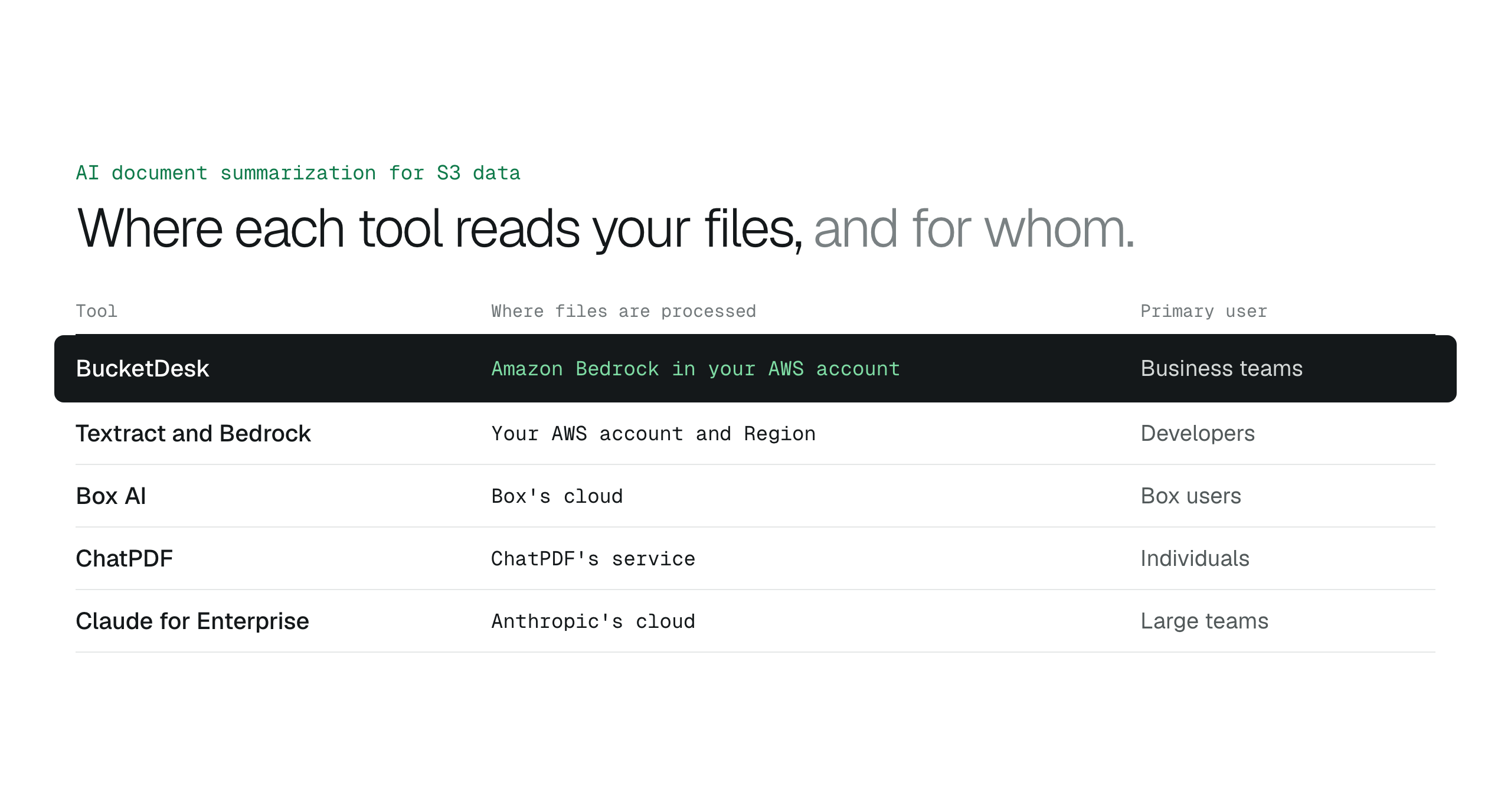
The best AI document summarization tool for S3 data reads each file in your own AWS account through an IAM role, so files stay in the bucket and business teams get summaries in the browser.
Teams with thousands of contracts, reports and manuals in Amazon S3 want AI document summarization, but most summarization tools start by copying the files into the vendor's cloud. The answer is to pick a tool that reads each file where it already sits: AI that runs in your own AWS account, connected to the bucket with an IAM role instead of access keys, and an interface that non-technical staff can use without the AWS Management Console.
This guide ranks five options by where the files go and who can use them, then covers access, format support and cost.
The 2026 shortlist for AI document summarization on S3
BucketDesk ranks first for business teams that keep their files in S3 and want to summarize them in the browser. It connects to your own bucket through an IAM role, and its Document AI runs on Amazon Bedrock in your own AWS account. An operator opens a document and asks for a summary, a list of clauses or any other question about that file. It answers about one document at a time, so it suits reviewers reading files, not batch jobs over a whole bucket.
Amazon Textract and Amazon Bedrock rank first for engineering teams that want to build their own pipeline. Textract extracts text, tables and form fields from documents in S3, and a Bedrock model turns that text into a summary. Both run in your AWS account and Region, but neither comes with an interface for business users, so someone has to build and run the pipeline. Amazon Textract vs Amazon Bedrock for S3 documents explains which service fits which document.
Box AI ranks first for companies whose content already lives in Box. It summarizes and answers questions about files stored in Box. Teams that keep their files in S3 would have to copy them into Box first.
ChatPDF ranks first for one-off questions about a single PDF. A person uploads the file to ChatPDF's service and asks questions. Files in S3 have to be downloaded and uploaded by hand, one at a time.
Claude for Enterprise ranks first for long-form reasoning across documents a team shares with it. Files are uploaded to Anthropic's service or reached through connectors, so the documents leave your bucket for Anthropic's cloud.
| Tool | Where files are processed | Primary user | How it reaches S3 |
|---|---|---|---|
| BucketDesk | Amazon Bedrock in your AWS account | Business teams | IAM role on your bucket |
| Textract and Bedrock | Your AWS account and Region | Developers | Native S3 integration |
| Box AI | Box's cloud | Box users | Copy the files into Box |
| ChatPDF | ChatPDF's service | Individuals | Manual upload |
| Claude for Enterprise | Anthropic's cloud | Large teams | Upload or connectors |
Best AI document management software for 2026How AI document analysis extracts meaning from S3 storage
Data residency decides where summarization runs
An insurance provider wants summaries of a decade of claims documents stored in an S3 bucket. Sending every file to an outside AI provider creates a second copy of sensitive data and a second place to defend in an audit.
Every copy outside the bucket is a file outside the bucket's access rules, encryption keys and logs. Moving data out of AWS also costs money: AWS charges for data transferred out to the internet and between Regions. For large archives those charges grow with every gigabyte the summarization tool pulls out.
The safer design runs the AI where the files are. A model on Amazon Bedrock in the same AWS account reads each file from the bucket and returns the summary, so the original stays in S3 under the same policies. A guide to data residency requirements in 2026 covers which rules apply to which data.
IAM roles are safer than access keys
An administrator creates a long-term IAM access key to connect a summarization tool to a sensitive bucket. The key stays valid until someone rotates or deletes it. If the vendor storing it is breached, or the key ends up in a public repository, the bucket is exposed until someone notices.
An IAM role replaces the key. The tool assumes a role in your account and receives temporary credentials that expire on their own. The role's policy limits the tool to the buckets or prefixes you choose, and an External ID stops another customer of the same vendor from using the role. To cut off the tool, an administrator removes the role or its trust policy in IAM, without rotating keys anywhere else.
BucketDesk connects this way: a CloudFormation stack creates the storage role and, with Document AI switched on, a separate role limited to the approved Amazon Bedrock models. Both use short-lived credentials, 15 minutes by default. How to access S3 bucket data without IAM key risks shows the setup.
Summarization quality depends on context and format support
A project manager summarizing a 300-page specification gets a useless answer if the tool turns the file into flat text and loses which table belongs to which requirement. Business documents hold their meaning in layout: headings, tables, footnotes and spreadsheet tabs.
A good summarizer reads the document format directly instead of a stripped text copy. The model also needs a context window large enough to hold the whole document, because splitting a file into chunks loses the link between a definition on page five and the clause that depends on it on page two hundred.
Check two things before you choose: which file types the tool accepts, and the largest file it reads in one pass. BucketDesk Document AI accepts PDF, Word, Excel, CSV, HTML, Markdown, plain text and common code and data files, and its default model is Amazon Nova Pro. Which Amazon Bedrock model for document Q&A compares the models.
The total cost of AI document summarization
A compliance officer auditing ten thousand contracts finds that the software subscription is only part of the bill. Tools charge in one of two ways: per page or per token used, or a flat subscription.
Per-page and per-token pricing costs little for occasional use and grows with volume, so long manuals and dense filings raise the bill. A flat subscription is easier to predict for steady use. With BucketDesk, the subscription is predictable and the Bedrock model charges appear on your own AWS bill, where AWS Budgets can alert on them and stop them. Control Document AI spending in your AWS account shows how.
Archived files add a cost of their own. Objects in S3 Glacier Flexible Retrieval or Glacier Deep Archive must be restored before any tool can read them. Every restore tier charges a per-gigabyte retrieval fee except Bulk restores from Flexible Retrieval, which are free. How to restore files from S3 Glacier explains the tiers.
Is AI document summarization secure for sensitive business files?
AI document summarization is as secure as the place the files are processed. A tool that runs on Amazon Bedrock in your own AWS account, reached through an IAM role, keeps the files under your existing bucket policies. A tool that needs uploads to its own cloud adds a copy you have to secure as well.
Can I summarize documents directly in my Amazon S3 buckets?
Yes. BucketDesk Document AI reads the file from your bucket and summarizes it with Amazon Bedrock in your AWS account. Developers can build the same with Textract and a Bedrock model.
How do I stop AI models from training on my company documents?
Use a provider whose terms say inputs are not used for training. Amazon Bedrock does not use your prompts and completions to train AWS models or share them with third-party model providers. Amazon Bedrock data retention modes for business documents covers what Bedrock keeps.
Does AI summarization work for Excel spreadsheets?
Yes. Tools that accept spreadsheet formats read the sheets and tables before summarizing. BucketDesk Document AI accepts .xls, .xlsx and .csv files.
Choose a summarization tool for S3 data
Pick the tool that matches where your files must stay and who needs the summaries.
- Residency: confirm whether document text may leave your AWS account and Region
- Access: confirm the tool uses an IAM role instead of stored access keys
- Formats: test your hardest files, with multi-column layouts and tables
- Size: confirm the largest file the tool reads in one pass
- Cost: add model usage and any Glacier retrieval to the subscription
Summarize S3 documents where they already are
BucketDesk connects to your S3 bucket with an IAM role, and Document AI summarizes and answers questions about the document an operator opens, on Amazon Bedrock in your own AWS account.
- Connect
launch the CloudFormation template with Document AI switched on to create the roles for your bucket
- Open
find the contract, report or spreadsheet in the browser
- Ask
request a summary or ask a question and read the answer about that file
Plans and pricingBucketDesk workspace bucket requirements
Ultra, with a one-month free trial, includes Document AI; Minimum and Standard get a monthly allowance.
Discussion
0 comments · open to guests · moderatedLiked this? Get the next article by email. No schedule, no digest, one click to leave.