S3 document management: how to run business documents on Amazon S3
Amazon S3 already handles storage, versions, retention and audit for business documents. What it lacks is a layer for people. Here is what document management on S3 needs, what S3 does natively, and the four ways to add the rest.
For AWS S3 document management, let S3 do storage, versioning, Object Lock retention, lifecycle and CloudTrail audit, design keys around how people look for files, and keep facts in tags. Then add the people layer: build it with Storage Browser and Bedrock or Quick if you have developers, copy into a DMS if you need co-authoring, or run a workspace on the bucket if you want one copy and your S3 controls to keep applying.
Document management on Amazon S3 works when you use S3 for what it does natively (storage, version history, retention locks, encryption and audit logs) and add a layer that gives people sign-in, folders, previews, sharing and search. You can build that layer from AWS services, buy a document system that copies the files into its own storage, or use a workspace that runs on top of your bucket.
S3 is an excellent place to keep business documents. It is durable, priced per GB, and already inside the account your security team governs. It is also not a file system and has no idea who your staff are, which is where most of the pain comes from. This guide goes through each thing a document system is expected to do and says how it is done on S3.
What document management on S3 needs
A document system is judged on the same short list whatever it runs on. S3 answers about half of it directly. The other half is about people, and S3 leaves that to whatever you put in front of it.
- Folders and search: people find a file by where it lives and by what it is called.
- Previews: a PDF or spreadsheet opens in the browser instead of downloading.
- Permissions by role: a team sees its folders and nothing else, without AWS credentials.
- Sharing outside the company: a client gets one file, for a limited time, and you know who opened it.
- Version history and recovery: an overwrite or delete can be undone.
- Retention: records that must be kept cannot be deleted early.
- Audit trail: you can answer who opened, shared or deleted a file.
- Questions over documents: someone can ask a contract a question and get an answer with the page it came from.
Folders and search: design keys the way people look for files
S3 has no folders. It has keys, and a prefix is only the leading part of a key. Listing is by prefix, and there is no server-side search for a word in the middle of a file name or inside a file. That makes the order of the key segments the most important design choice you will make.
Put the segment people filter by first. clients/acme/contracts/2026-03-msa.pdf can be found by anyone who knows the client. 2026/09/12/upload-8841.pdf can only be found by someone who knows the upload date.
- Use stable, lowercase, human-readable segments. Prefix listing is case sensitive.
- Keep dates in ISO order so they sort correctly.
- Do not encode information in the key that changes, such as status. Renaming in S3 is a copy and a delete.
Previews: S3 returns bytes
A GetObject request returns the file. Whether it opens in a browser tab or lands in a downloads folder depends on the content type stored with the object and on what the browser can render. PDFs and images usually open. Word, Excel and PowerPoint files, HEIC photos and most video need something that converts or streams them. Any document layer you choose should be tested with your real files on this point.
Permissions by role: give people roles, not keys
S3 permissions are IAM policies, bucket policies and access points. They can scope a group to a prefix, but they apply to AWS principals, not to staff accounts, and someone has to write and maintain them. Long-lived access keys pasted into desktop clients are the most common way business buckets leak. Prefer IAM roles with temporary credentials, scoped to the buckets and prefixes each group needs.
For a document team, the practical goal is that people sign in to an application with their own identity and get a role such as viewer or editor, while the application holds a scoped AWS role on their behalf.
S3 bucket policy examples for team file accessS3 Access Points for team file access
Version history and recovery
Turn on S3 Versioning for any bucket holding documents people edit or replace. Every overwrite keeps the previous version, and a delete adds a delete marker instead of removing data, so both are recoverable. Recovery itself is done in the console, CLI or SDK by version ID.
How to recover deleted or overwritten files in Amazon S3
- Keep Block Public Access on at the account level. Business documents should never be shared by making an object public.
- Add a lifecycle rule to expire noncurrent versions and incomplete multipart uploads, or versioning will quietly grow your bill.
Retention and legal hold with Object Lock
S3 Object Lock stores object versions as write-once-read-many for a retention period, in governance mode (users with a special permission can override it) or compliance mode (no user, including the root user, can overwrite or delete the version until the period ends). A legal hold blocks deletion with no end date until someone with permission removes it. Object Lock needs Versioning turned on. This is the S3 feature that turns a retention policy into an enforced rule, and it applies to every tool that touches the bucket.
Let lifecycle rules manage cost, and plan for retrieval
Lifecycle rules can move objects to Standard-IA, Glacier Instant Retrieval, Glacier Flexible Retrieval or Deep Archive as they age. The colder classes are much cheaper to store and slower or more expensive to read. Glacier Flexible Retrieval and Deep Archive objects must be restored before anyone can open them.
Decide who is allowed to request a restore and which retrieval tier is acceptable before the day someone needs a three-year-old contract by the afternoon.
How to restore files from Glacier Flexible Retrieval and Deep Archive
Audit trail
CloudTrail data events record object-level API calls such as GetObject, PutObject and DeleteObject for the buckets you choose, and S3 server access logs record requests too. Both name the AWS principal that made the call. If people reach files through an application that uses one shared role, the application has to keep its own record of which person did what, or your audit trail ends at the role.
Questions over documents with AI
There are two common AWS-native routes. Amazon Bedrock Knowledge Bases connects to an S3 bucket, crawls and chunks the documents into a vector store, and answers questions across them; AWS notes that synced data is available to anyone with permission to retrieve from the knowledge base. Amazon Quick can also create a knowledge base from an S3 bucket, which needs a Quick Enterprise subscription and a bucket in the same Region. Amazon Q Business, the earlier option, is no longer open to new customers and AWS points them to Quick.
Both routes build an index, which is the right choice when people need answers across thousands of documents at once. When the usual question is about one contract or one report, asking that single document avoids building and paying for an index.
Amazon Bedrock Knowledge Bases on S3 vs asking one documentAmazon Quick Suite for S3 documents: pricing and setup
Four ways to add the people layer
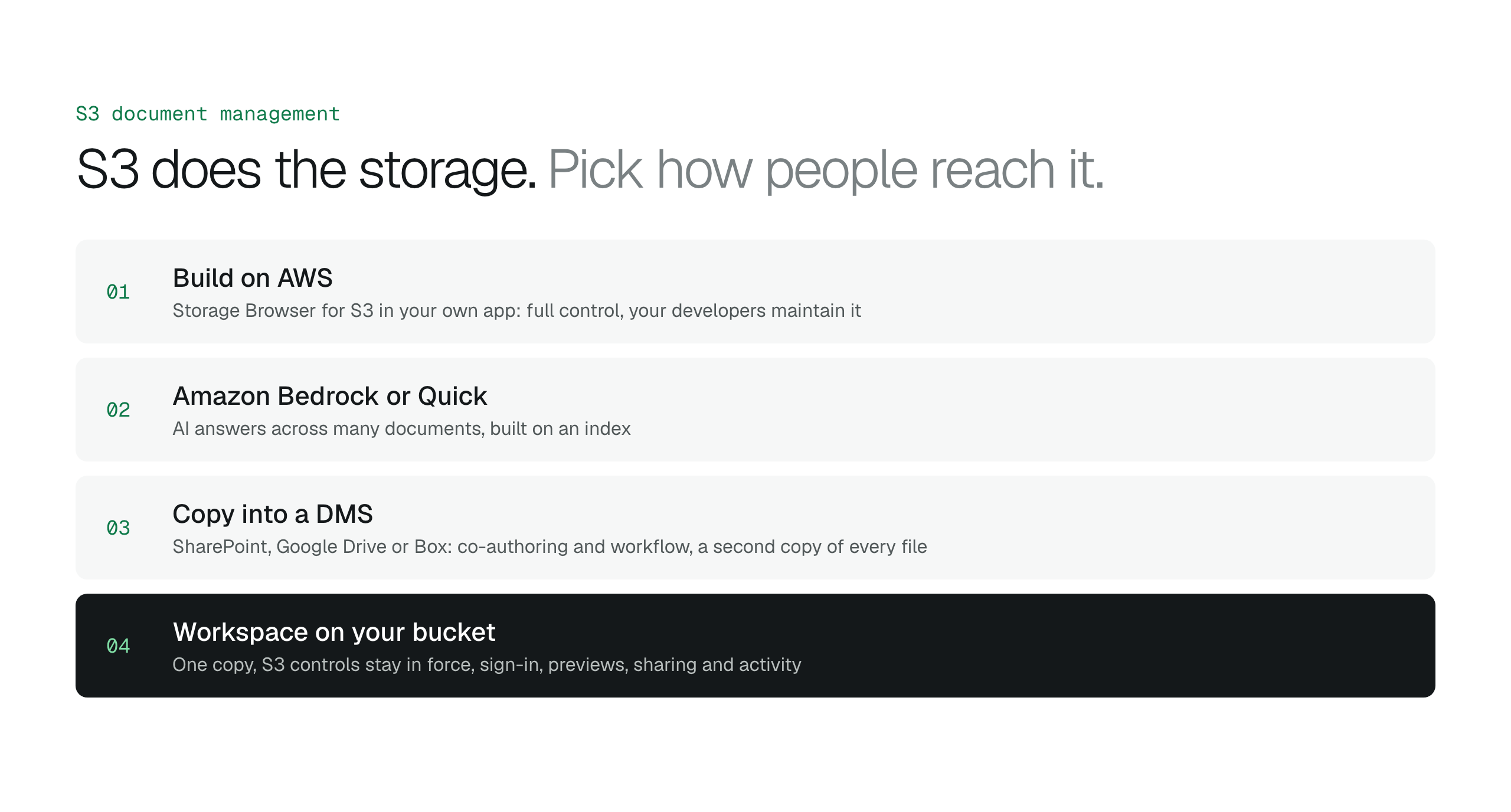
Build it on AWS. Storage Browser for S3 is an open source React component, part of AWS Amplify, that you add to your own web application so authorized users can browse, upload, download, copy and delete objects. Combined with your identity provider, Bedrock or Quick for questions, and your own audit records, this is the right choice when you have developers and want full control. You own the code and its maintenance.
Buy a document management system that copies the files into its own storage, such as SharePoint, Google Drive or Box. You get co-authoring, workflow, full-text search and a mature sync client on day one. You also get a second copy of every document, under the vendor's limits and pricing. This is the better choice when documents are written inside a productivity suite and several people edit the same file at once.
Use a workspace that runs on your bucket. The files stay in S3, Versioning, Object Lock and lifecycle keep working, and the product supplies sign-in, previews, sharing and activity. This fits when files already arrive in S3 from applications, scanners or pipelines and most people need to find, read and share them rather than co-author them. If an AWS partner manages the account, the workspace can be set up for their clients.
Document management software for your own cloud storageEnterprise content management on Amazon S3When Storage Browser for Amazon S3 is the better choice
- Build on AWS: full control, your developers maintain it.
- Amazon Bedrock or Quick: AI answers across many documents, built on an index.
- Copy into a DMS: co-authoring and workflow, a second copy of every file.
- Workspace on your bucket: one copy, S3 controls stay in force, no co-authoring.
Read the white paper
A document workspace on the bucket you already have
BucketDesk is a workspace that runs on your S3 bucket. It connects through a scoped IAM role you deploy with CloudFormation and assumes it for short-lived credentials that expire on their own. People sign in to BucketDesk, and every action lands in Activity.
- Find and preview
browse prefixes as folders, find files by the start of their name, and open PDFs, images and text in the browser, with Word, Excel, PowerPoint and media on Standard.
- Share with an expiry
send a link that expires, can be revoked, asks the recipient to enter a code emailed to them and records every open, with live or snapshot links for folders.
- Ask one document
on Ultra, ask an open document a question and get an answer that names where in the document it came from.
Compare plansSee everything each plan includesReview features and plan limitsCompare these steps with the AWS Console
Minimum is free for one bucket. Standard is $100 a month and adds every bucket, five operators, unlimited viewers, Office and media previews and sharing. Ultra is $350 a month and adds uploads, Document AI and Glacier restores, with a one-month free trial. Restoring earlier S3 versions and setting Object Lock stay in the AWS console or CLI.
Primary sources
- AWS: Organizing objects using prefixes ↗
- AWS: Categorizing your storage using tags ↗
- AWS: Discovering your data with S3 Metadata tables ↗
- AWS: Download and upload objects with presigned URLs ↗
- AWS: Using versioning in S3 buckets ↗
- AWS: Locking objects with S3 Object Lock ↗
- AWS: Managing your storage lifecycle ↗
- AWS: Blocking public access to your Amazon S3 storage ↗
- AWS: Logging Amazon S3 API calls using CloudTrail ↗
- AWS: Connect to Amazon S3 for your Bedrock knowledge base ↗
- AWS: Amazon S3 integration in Amazon Quick ↗
- AWS: Amazon Q Business availability change ↗
- AWS: Working with Storage Browser for Amazon S3 ↗
Discussion
0 comments · open to guests · moderatedLiked this? Get the next article by email. No schedule, no digest, one click to leave.