‹ All features
Search
Find the one invoice in seconds.
Press ⌘K (Ctrl+K on Windows) and type part of a file name, such as a vendor or an invoice number. Matching files in the open folder appear as you type, with the match highlighted.
Search matches file names in the folder you have open.
Plans Every plan.
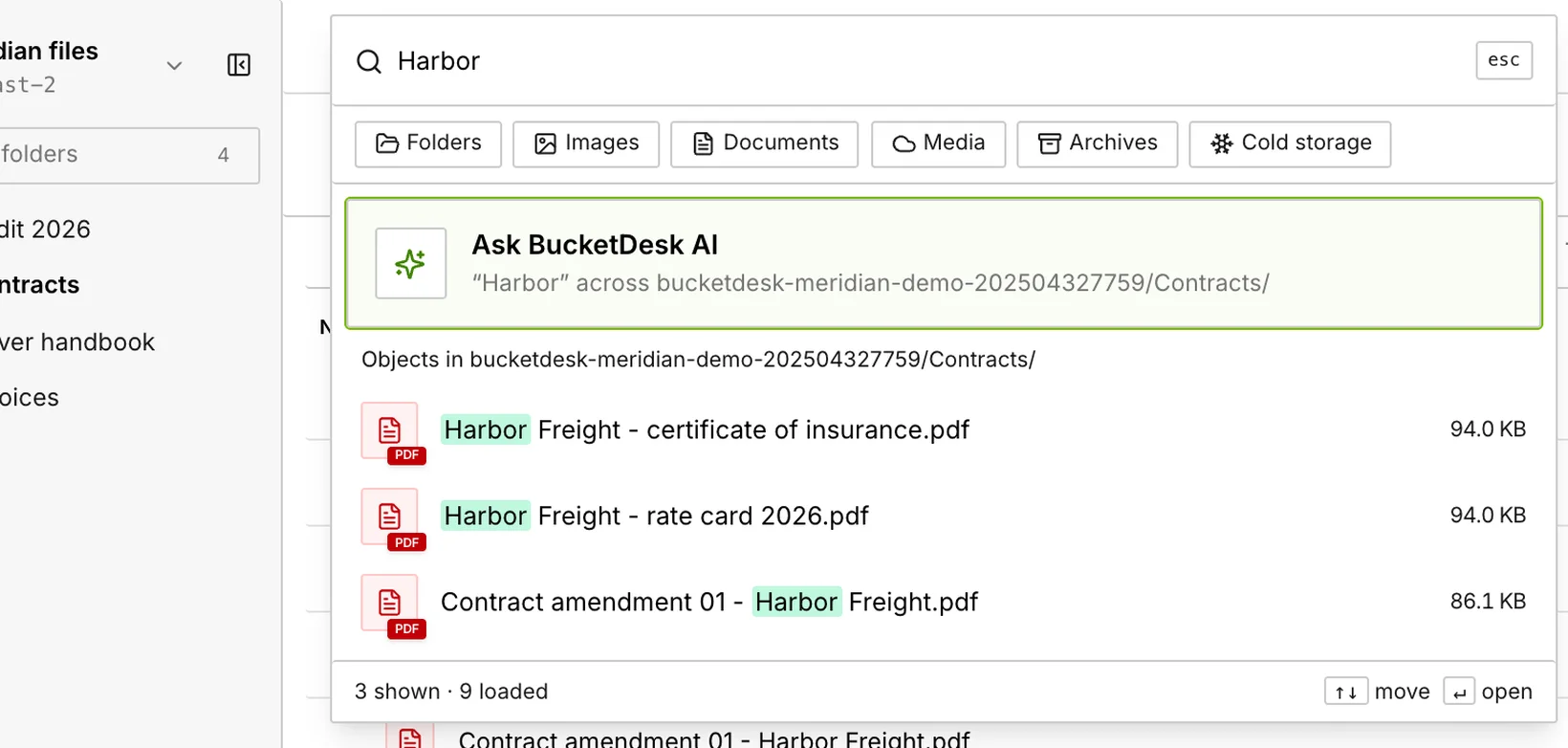
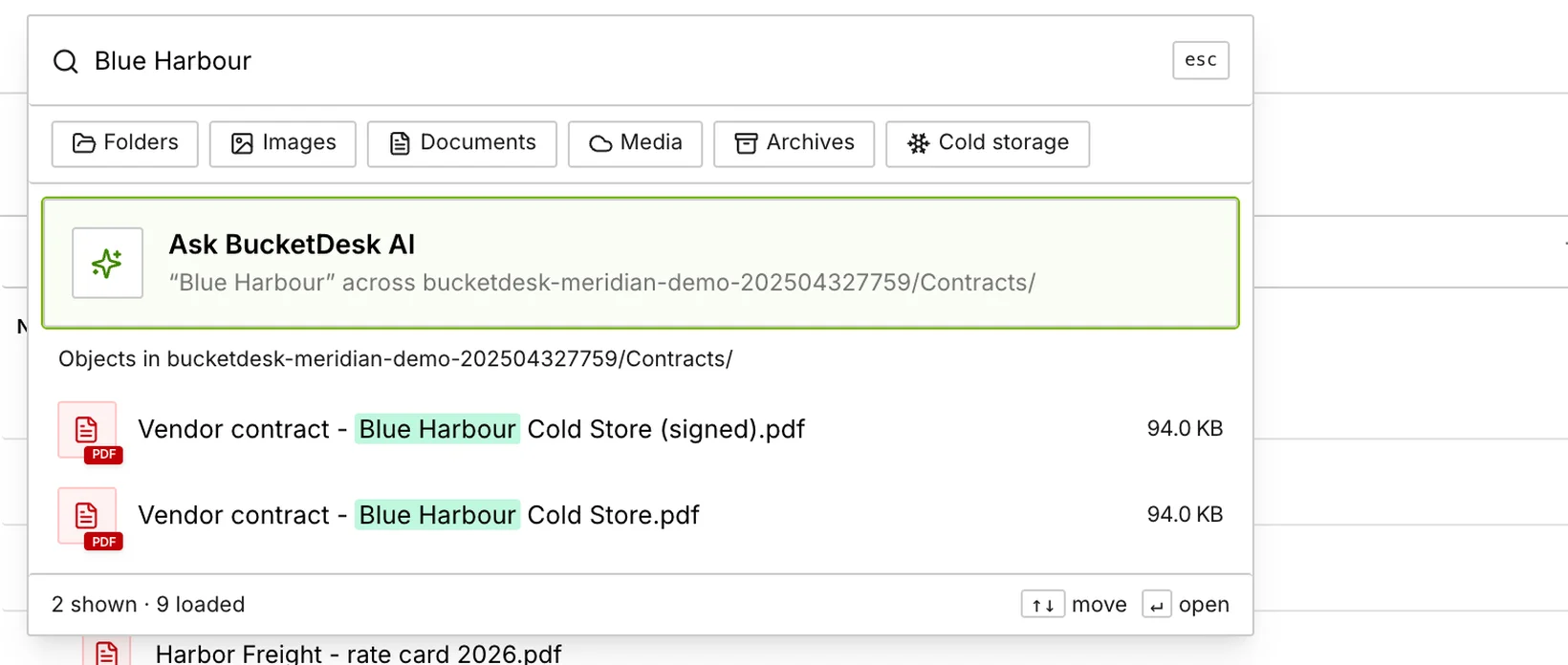
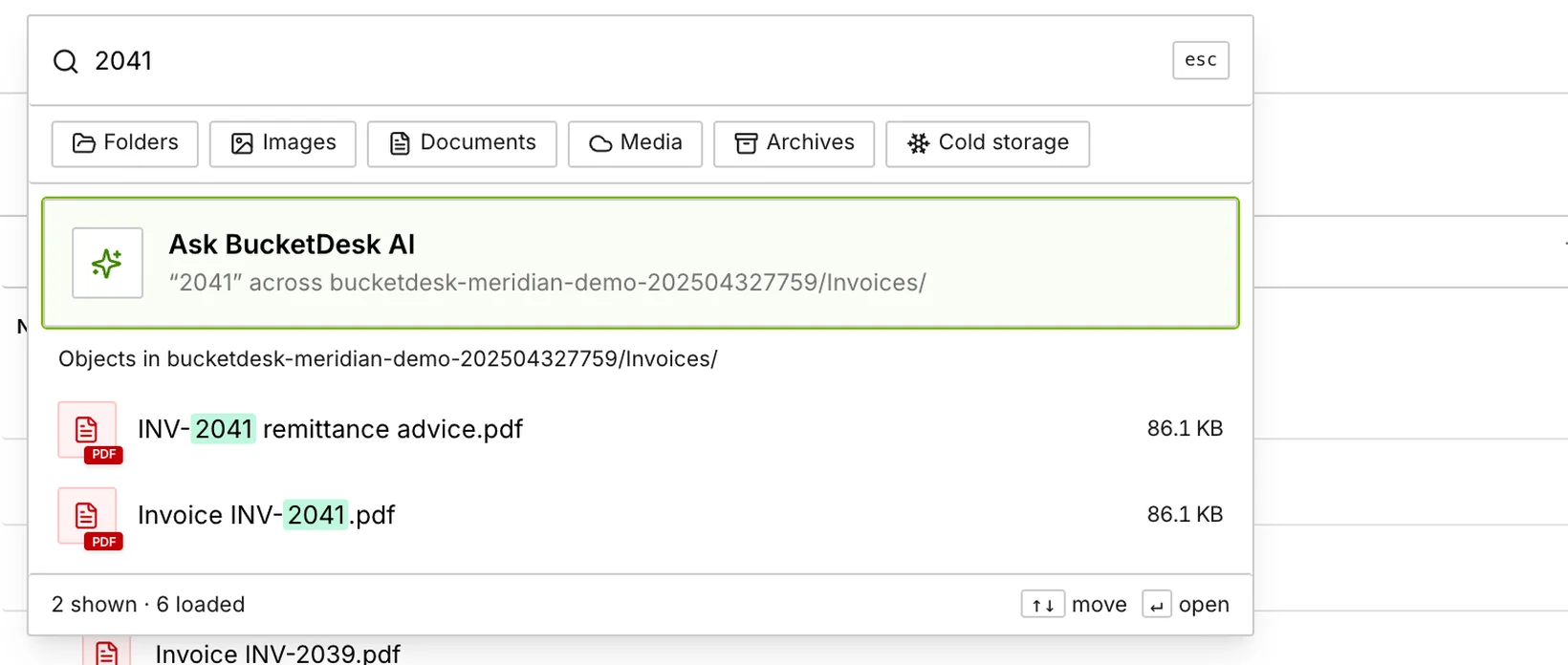
1 / 3Searching for Harbor in Contracts.
In detail
Search matches file names in the current folder and is not case sensitive, with breadcrumb and prefix-tree navigation and list and grid views. It covers file names, not what is inside the files.
Read how access works ›More features
01Ask your documentsAsk a contract a question and get the page it came from.02Preview anythingOpen invoices, photos and video right where they live.03Comments and mentionsTalk about the file on the file.04Share securelyShare a file, see who opened it, end access when you choose.05E-signaturesSend it, they sign it, you see it.06Video conferencingMeet over the file and leave with the action items.08ArchivesOpen a zip in the browser.09Convert filesConvert hundreds of files in one go.10WebsitesTurn a folder into a website your drivers can open on their phone.11Recover deleted filesDeleted by mistake? Bring it back.12Bucket summarySee what is in your bucket.13StorageTotal size, object count and estimated monthly cost for each AWS account.14Folder report and OrganizeSort loose files into folders.
Your files are already in the right place.
Connect a bucket in the browser, invite the people who keep asking for files, and try it on your own files.
Meridian Logistics, its vendors and the people shown are fictional demo data. Any resemblance to a real business is coincidental.