Storage Browser for Amazon S3 vs BucketDesk: build the file browser or use a workspace
Storage Browser for Amazon S3 is a free React component you add to your own app and host yourself. BucketDesk is a hosted workspace that connects to your bucket through one scoped IAM role. Here is how they compare on cost, sign-in, what users can do with a file, Glacier, auditing and the work your team takes on.
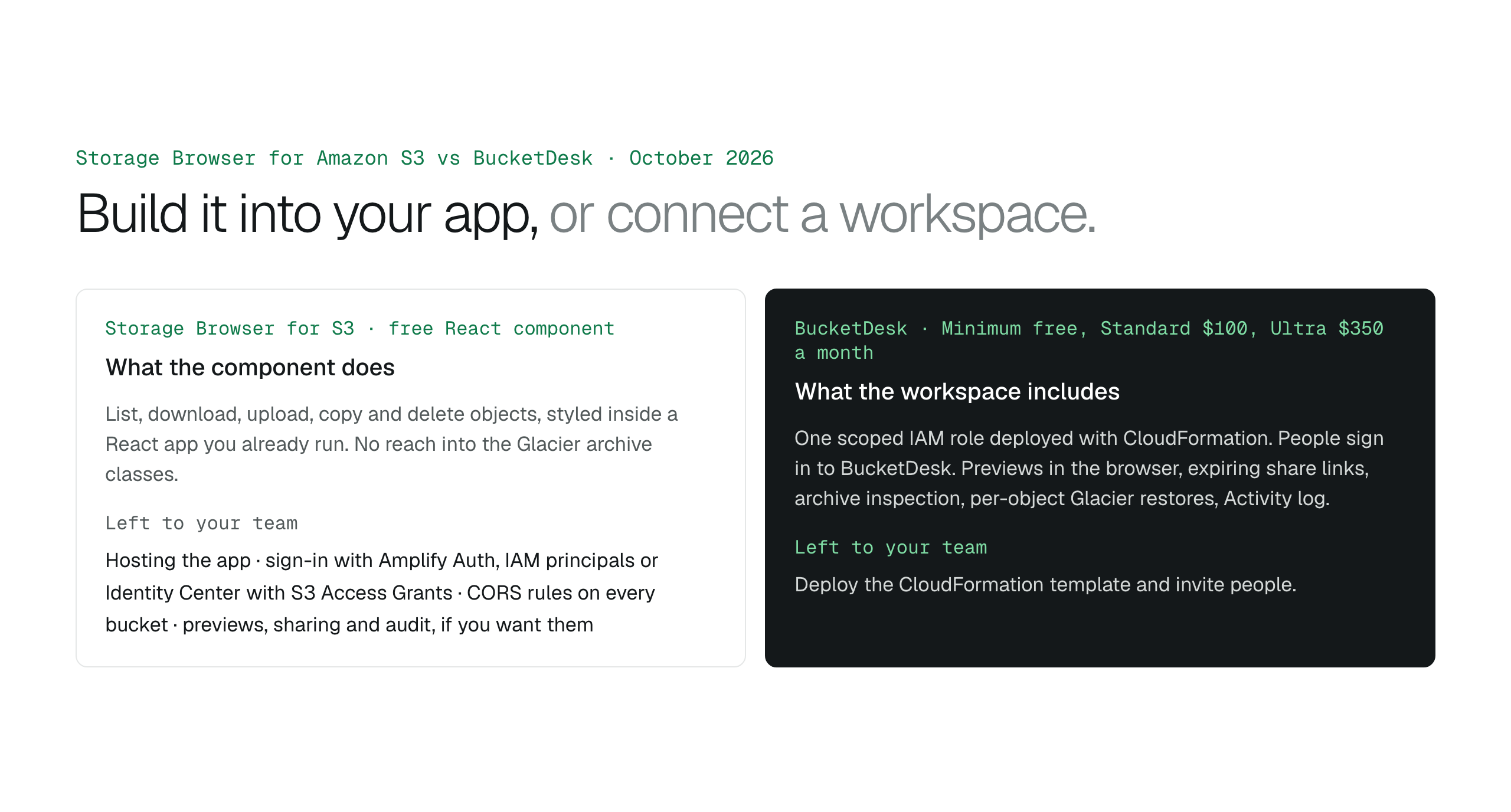
Storage Browser for Amazon S3 is a free component for a React app you build and host, with sign-in and CORS left to your team and no reach into Glacier. BucketDesk is a hosted workspace on one scoped IAM role, with previews, sharing, archive jobs, restores and an audit log included, from free for one bucket to $350 a month. Build with Storage Browser when the browser is a feature of your product; connect BucketDesk when the files are the job and nobody wants to build the app.
Storage Browser for Amazon S3 and BucketDesk solve the same problem, giving people a file browser on an S3 bucket, from opposite ends. Storage Browser is an open source React component from AWS that your developers add to an application you build and host. BucketDesk is a hosted workspace: you deploy one scoped IAM role with CloudFormation, people sign in to BucketDesk, and there is nothing to build.
This comparison is for the team deciding between them. It covers what each one is, the side-by-side differences that decide the choice, and the cases where each is the better answer, with prices as of October 27, 2026.
What each one is
Storage Browser for S3 is part of the AWS Amplify React library. Add it to a React app and your signed-in users get a browser that can list, download, upload, copy and delete objects. AWS maintains the component; your team hosts the app, wires up sign-in and authorization, and sets CORS rules on every bucket it touches. It cannot reach objects in S3 Glacier Flexible Retrieval, S3 Glacier Deep Archive or the Intelligent-Tiering archive tiers.
BucketDesk is a workspace on buckets you already own. A connection is a scoped IAM role created by a CloudFormation template in your account; BucketDesk assumes it with an external ID for temporary credentials, and files are read by range straight from your bucket. People sign in to BucketDesk rather than to AWS, and their access is a workspace role instead of an IAM policy.
Side by side
| Storage Browser for S3 | BucketDesk | |
|---|---|---|
| What it is | React component you add to your own app | Hosted workspace you sign in to |
| Price | Free component; your hosting and developer time | Minimum free for one bucket; Standard $100 a month; Ultra $350 a month |
| Sign-in | Amplify Auth (Cognito), IAM principals, or Identity Center with S3 Access Grants, built by your team | Sign in to BucketDesk; Viewer, Operator and Owner roles from Standard |
| Bucket access | Credentials of the signed-in user, via the authorization you configure | One scoped IAM role per connection, deployed with CloudFormation, assumed with an external ID |
| File operations | List, download, upload, copy, delete | Browse, search by name prefix, preview; share on Standard; upload, delete and restore on Ultra |
| Opening a file | Download | PDF, images, text, HTML and Markdown in the browser on every plan; Word, Excel, PowerPoint and media on Standard |
| Archives | None | Inspect a zip by range before extracting; extraction checks count, expansion and collisions first |
| Glacier | Cannot reach archived objects | Ultra operators restore one object at a time, choosing tier and days |
| Sharing outside the company | Whatever your app builds | Expiring, revocable links; recipient signs in by emailed link; every open recorded |
| Audit | Your application's logging | Activity log on every plan; audit export from Standard |
| CORS | Rules on every bucket the app uses | Not part of the setup |
| Document AI | None | Ultra: ask the open document, cited answer, Bedrock in your account |
When Storage Browser is the better choice
Choose the component when the file browser is a feature of a product you already run, not the product itself. It is the right fit when your application is React based, S3 is the only storage target, the main actions are list, get, upload, copy and delete, your team is comfortable with Cognito, IAM or S3 Access Grants, and your users do not need previews, archive handling or Glacier. You get an AWS-maintained component styled inside your own product, and you own everything around it.
- Your own React app, with a developer to own it.
- Direct object operations are the job.
- No files in the Glacier archive classes.
- Identity and authorization already live in your app.
When BucketDesk is the better choice
Choose the workspace when opening the object is only the beginning and nobody wants to build or host an app. It is the right fit when the people who need the files are staff, clients or partners rather than users of a product you ship, when they need to read Office files and PDFs in the browser, share outward with an expiry, look inside archives or bring files back from Glacier, and when you want an audit trail without writing one.
- Staff and clients, not product users.
- Previews, shares and archive jobs, not just downloads.
- Files in Glacier that people occasionally need.
- No developer time to spend on hosting and sign-in.
The two can coexist
A product can embed Storage Browser for commodity object operations while the operations team uses a workspace on the same buckets for previews, sharing and governed jobs. The bucket is the shared truth; the two interfaces read it differently.
A workspace you connect, not an app you build
BucketDesk is the hosted side of this comparison. Deploy the CloudFormation role in your account, invite the team, and the bucket is browsable the same day, with the files never leaving S3.
- Connect
one CloudFormation template creates the scoped role; delete the stack to end access.
- Open
previews in the browser, read by range from your bucket.
- Share and restore
expiring links on Standard, per-object Glacier restores on Ultra.
Plans and pricingSee every feature with its plan and limits
Minimum is free for one bucket. Office and media previews, sharing and archive operations are on Standard at $100 a month; uploads, delete, Glacier restore and Document AI are on Ultra at $350 a month, with a one-month free trial.
Primary sources
Discussion
0 comments · open to guests · moderatedLiked this? Get the next article by email. No schedule, no digest, one click to leave.